Kingston University · MSc · 2024
Second Brain
An iOS app that turns the "Building a Second Brain" method into one place for notes, projects and plans.
5
people interviewed
3
How Might We questions, eight sketches each
4
PARA spaces as the navigation
00 / Summary
- Role
- UX designer
- When
- 2024
- Platform
- iOS app
- Method
- Research, affinity mapping, HMW, Crazy 8s
- Colour
- #68C3B2
- Problem
- People's notes are scattered across several apps, so ideas get lost and are hard to find again.
- What I did
- Built the app around the PARA structure (Projects, Areas, Resources, Archive), with one add button, search and a day plan linked to projects.
- Result
- A high-fidelity iOS prototype. Usability testing is the next step.
01Problem
The ideas exist. They’re just everywhere.
People capture ideas all the time: a note on the phone, a task in Trello, a list in Notion, a voice memo, a scrap of paper. Each tool holds a piece and none holds the whole. Information sits in several places, nothing is stored centrally, and finding something again means remembering where it went in the first place.
The question was how one app could be the place where everything lands, and how it could stay organised without becoming another chore.
02Research
When tools get in the way, people go back to paper.
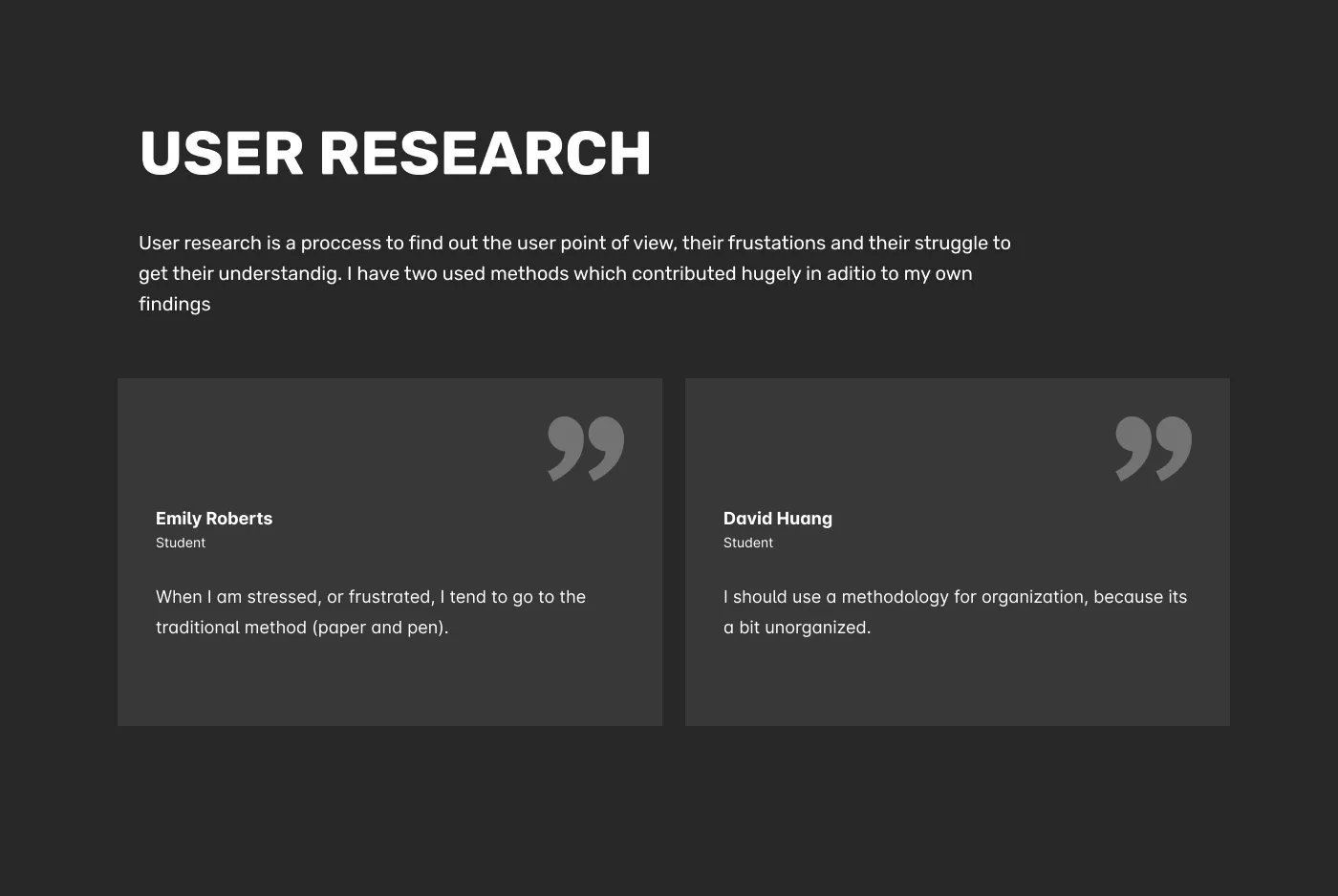
“When I am stressed, or frustrated, I tend to go to the traditional method (paper and pen).” Research participant
“I should use a methodology for organization, because it’s a bit unorganized.” Research participant
I recruited participants with a flyer and a screener, interviewed five people, and worked through the transcripts line by line. Those two lines set the brief. Capture had to be as fast as a pen, and the app had to bring a method with it, so people didn’t have to invent their own system.
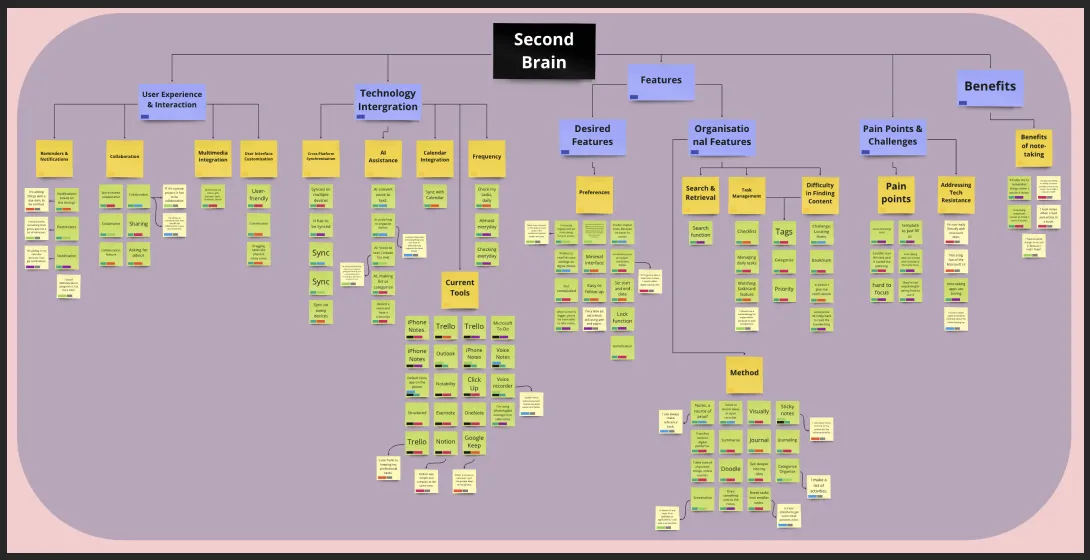
I sorted everything I heard into an affinity diagram: current tools, pain points, the features people wanted, and what they hoped note-taking would give them. The same tools came up again and again (Trello, Notion, Evernote, OneNote, Google Keep, iPhone Notes), and so did the same complaint: switching between them.
03Who it's for
Two people, one fear: losing the thought.
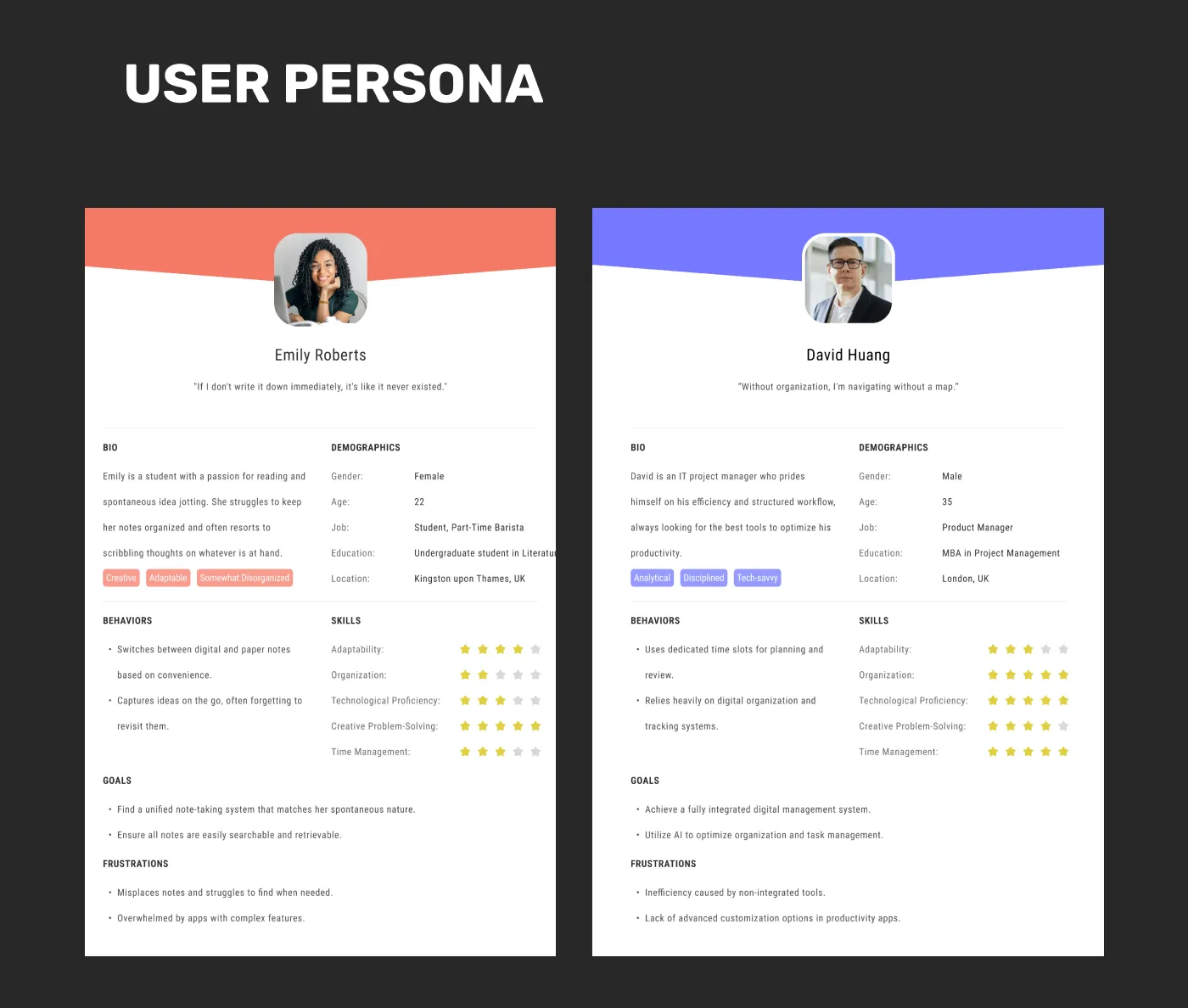
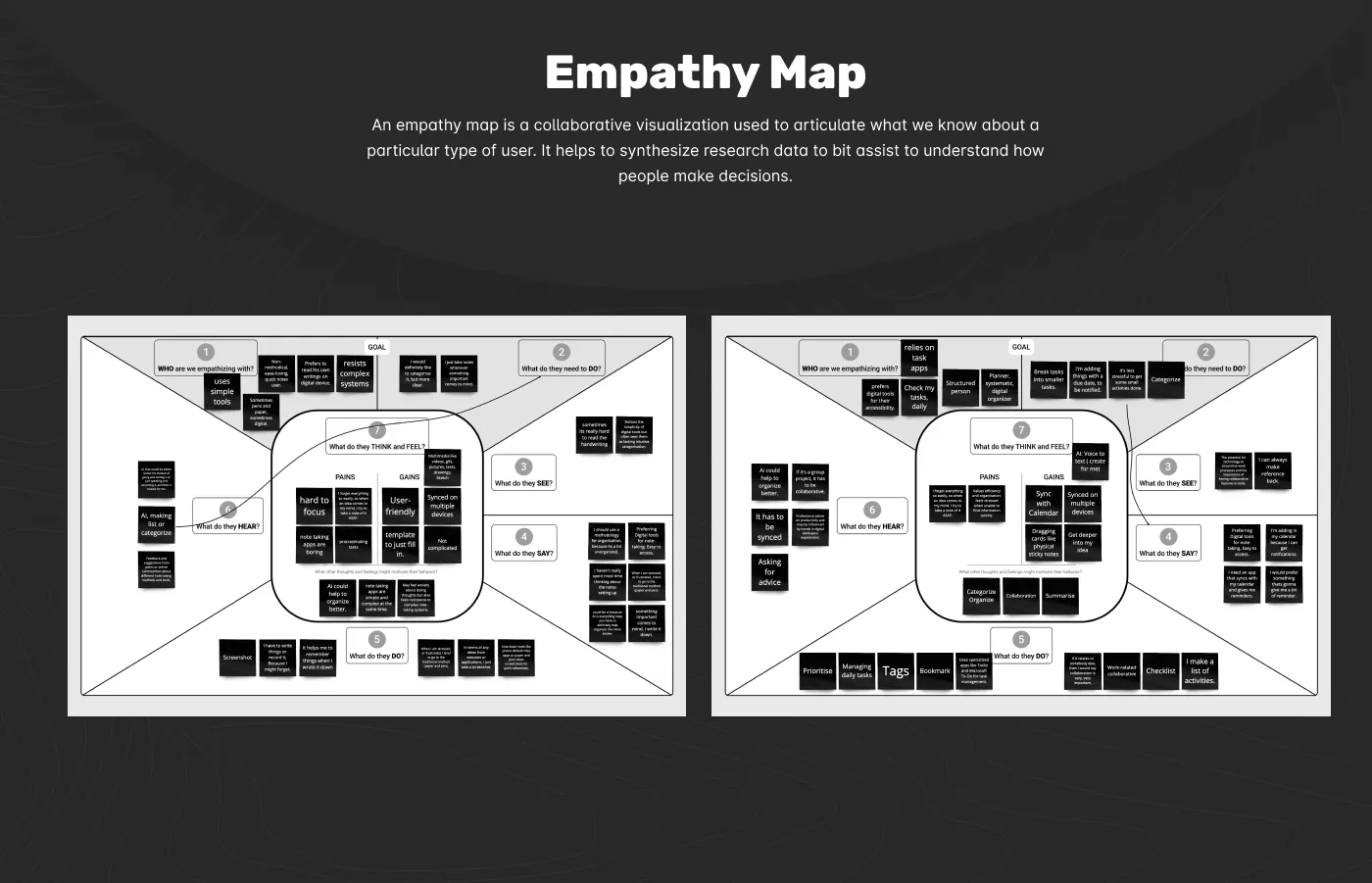
Emily is 22, a student and part-time barista in Kingston: “If I don’t write it down immediately, it’s like it never existed.” David is 35, a product manager in London: “Without organization, I’m navigating without a map.” One needs speed, the other needs structure. The app had to give both without making either feel slowed down.
04Ideation
Three questions, eight sketches each.
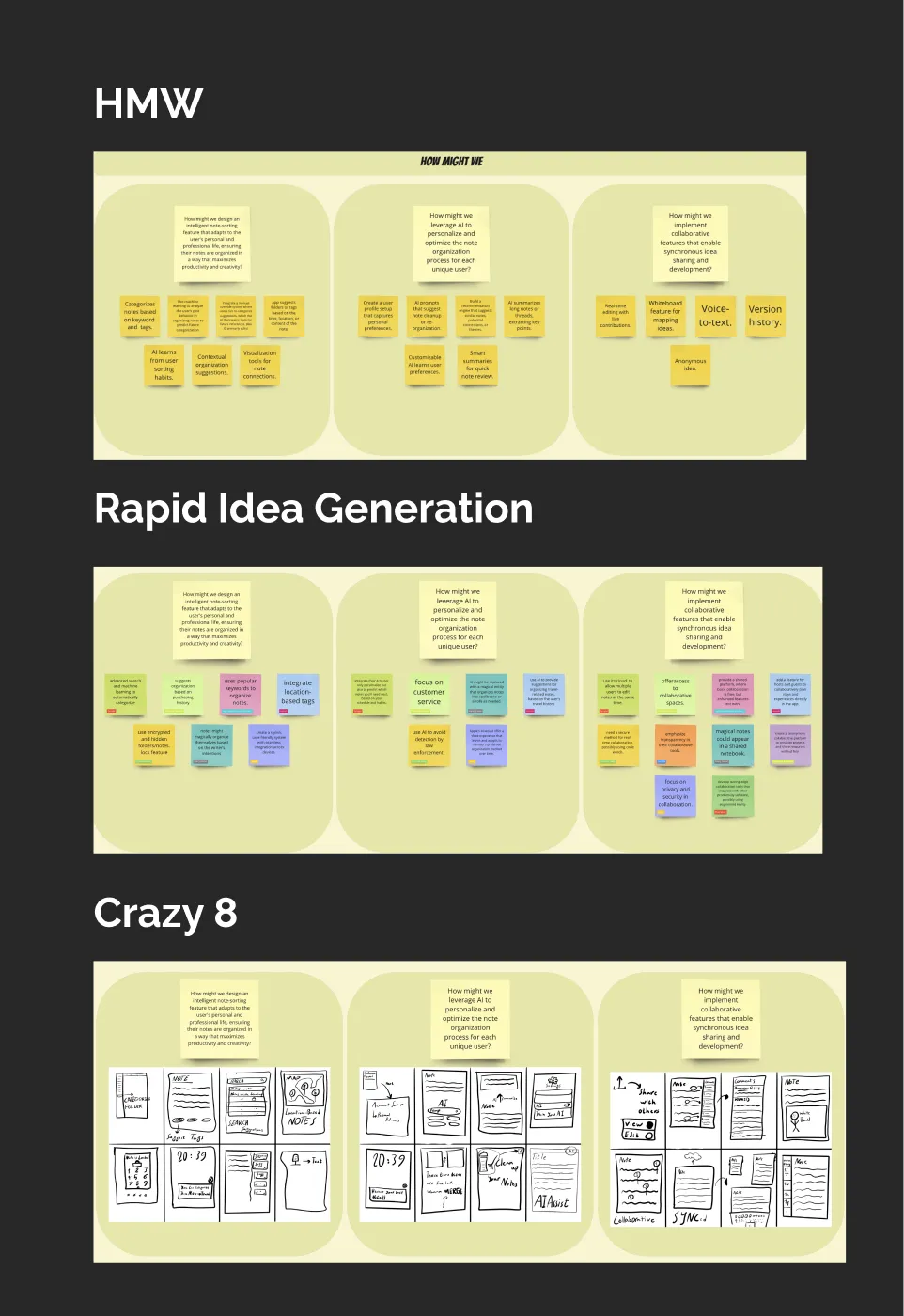
I turned the findings into three How Might We questions:
- How might we design note-sorting that adapts to each person’s life and work?
- How might we use AI to personalise how notes are organised?
- How might we let people share and build ideas together in real time?
Rapid idea generation and Crazy 8s gave each question a wall of options, from auto-tagging and smart summaries to location-based notes and shared notebooks.
05Design
The method is the navigation.
PARA on the home screen
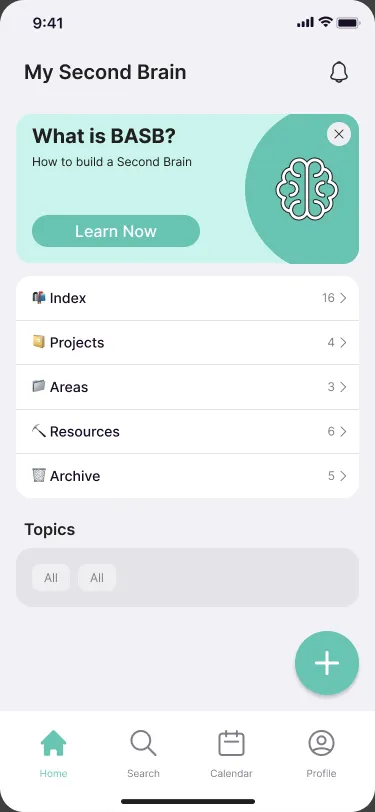
Instead of asking people to design their own folders, the app follows Tiago Forte’s Building a Second Brain method. Home lists the four PARA spaces (Projects, Areas, Resources and Archive) with a count on each, and a card at the top explains the method to anyone new to it. That answers David’s “I should use a methodology”: the method comes built in.
One button for everything
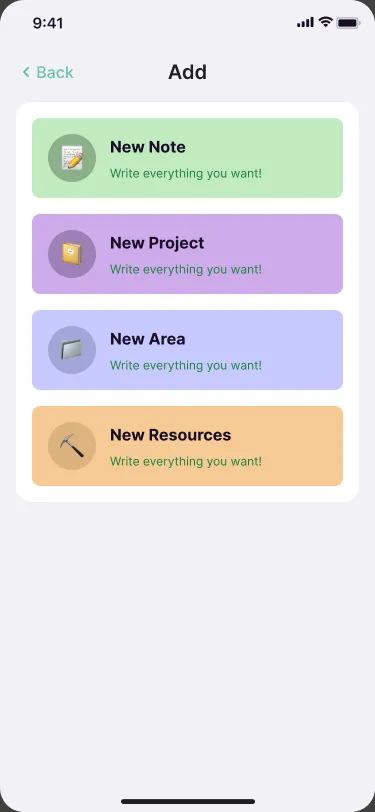
Emily’s rule was “write it down immediately”. A single + sits on every main screen and opens one sheet: new note, project, area or resource. Capture first, sort later.
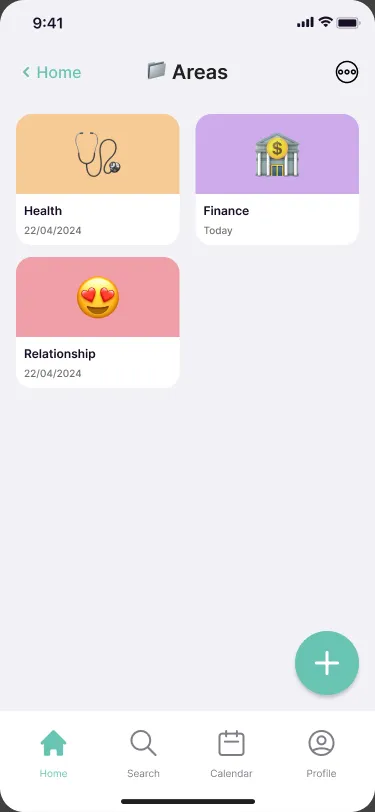
Colour and emoji for recognition
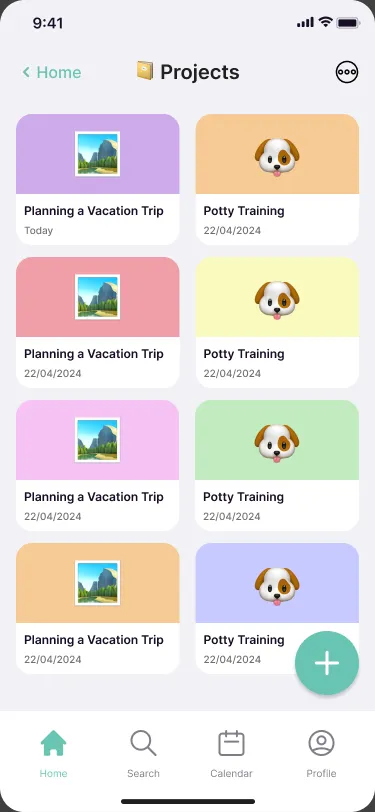
Projects and areas are cards with a colour and an emoji, so people find them by sight rather than by reading a list.
06Plans and search
Ideas and plans in the same place.
Plans connected to projects
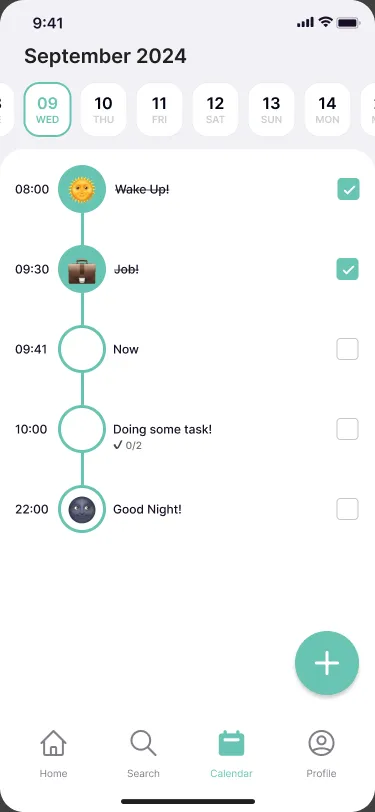
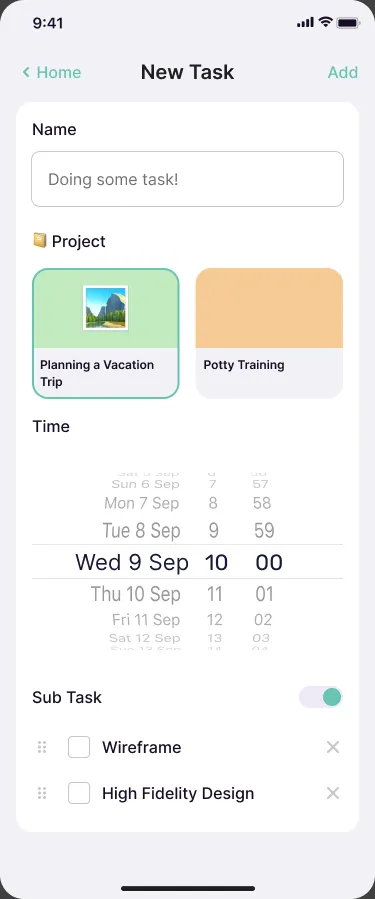
Notes alone don’t get things done. The calendar shows the day as a timeline, and a new task can be linked to a project and split into sub-tasks, so plans and ideas live in the same place.
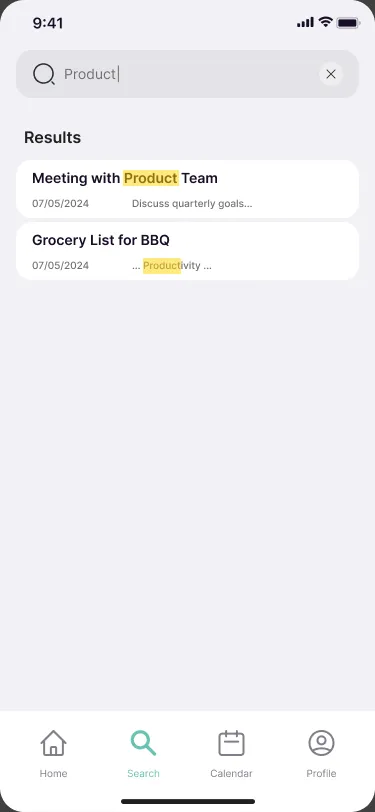
Search that shows why it matched
Results highlight the matched words, including inside a note, so people can tell which one they meant before opening it.
07Outcome
A structure first. The smart part comes next.
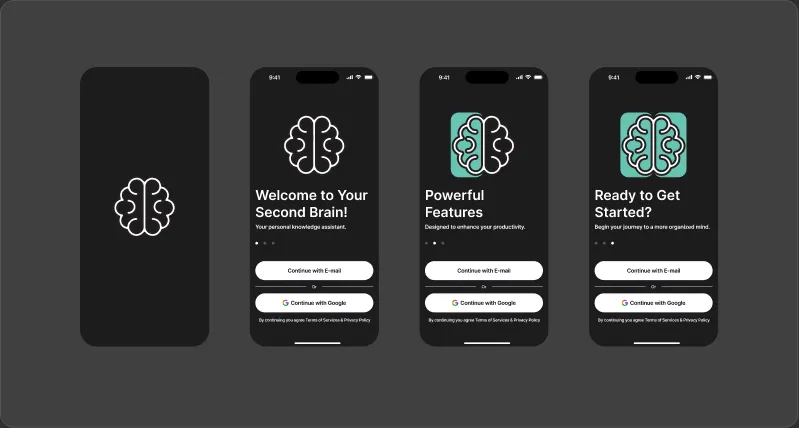
The result is a high-fidelity iOS prototype that covers onboarding, the four PARA spaces, capture, search, the day plan and profile. Usability testing was planned as the next phase, and I have no results from it to share, so I won’t claim it works better than the tools people already use.
If I tested it, I’d watch three things: how long it takes to capture a thought from a cold start, whether people can find a note again a week later, and whether the PARA structure makes sense to people who have never heard of it.
The AI ideas from ideation, such as suggested tags and smart summaries, need a solid structure to sit on. This prototype is that structure.
08Reflection
What I learned.
People don’t need another place to put notes. They need a reason to trust one place. Borrowing a proven method instead of inventing a new system made the design simpler, and gave people something they can learn once and carry with them.