IroTeam · 2020–21
IROTeam Greenhouse
Designed a greenhouse rule builder that older, non-technical managers could use. The team later reported rule setup became about 40% less complex.
~40%
less complex rule setup, as the team later reported
3
plain questions instead of if-else logic
00 / Summary
- Role
- Product designer
- When
- 2020–21
- Platform
- Mobile app · IoT
- Method
- User interviews
- Colour
- #1F7A5A
- Problem
- Greenhouse managers asked for timed rules, but many were older, non-technical and already struggling with the simple rules they had.
- What I did
- Owned the rule builder's logic and flow, hiding the if-else behind three plain questions, presets and a sentence that reads each rule back.
- Result
- Shipped and live in Persian. After I left, former colleagues reported rule setup was about 40% less complex.
01Problem
Greenhouse managers asked for a timer. My job was to hide the if-else behind it.
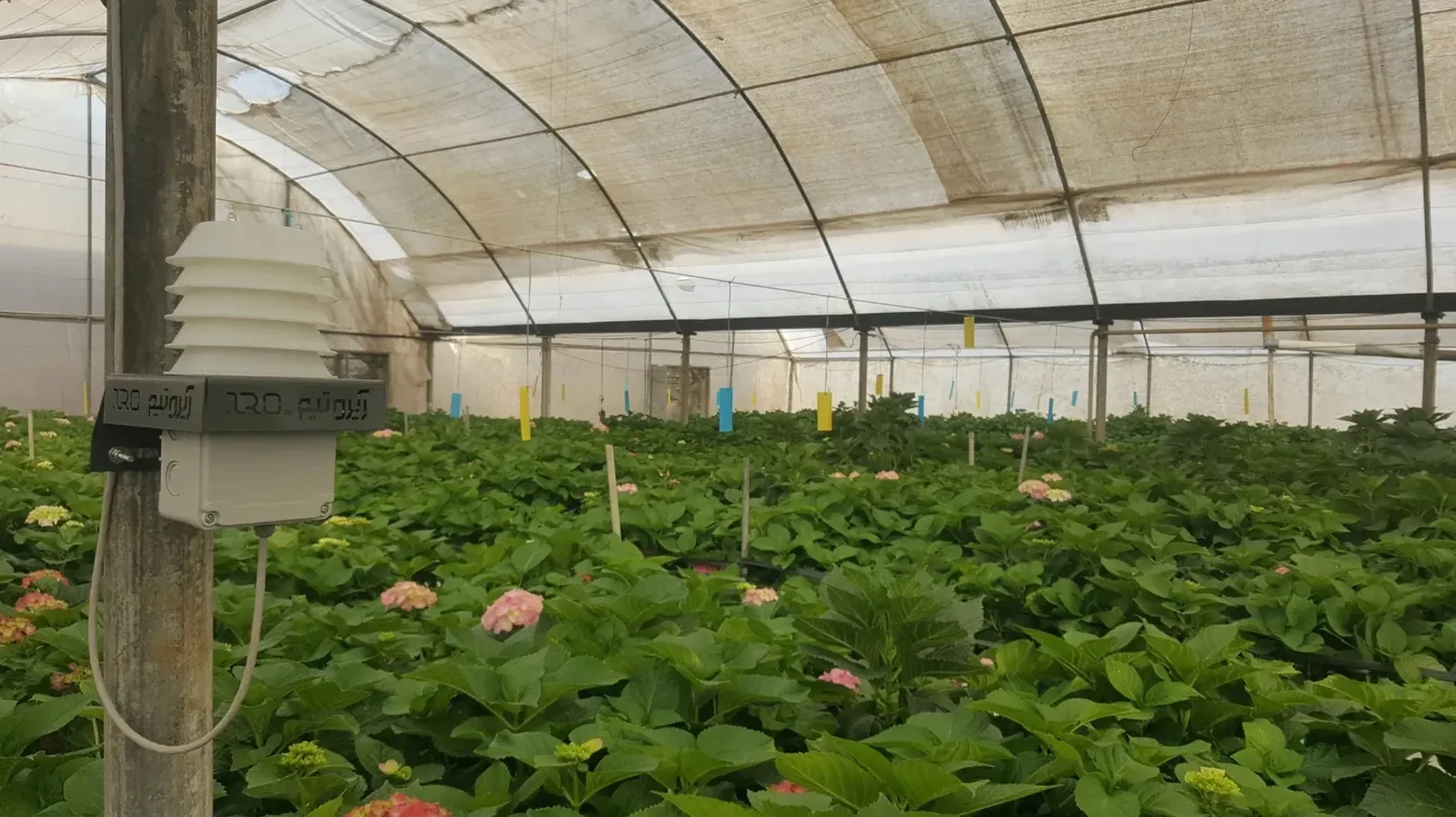
IROTeam puts sensors and controllers in greenhouses and connects them to an app. A manager can see every hall’s temperature and humidity, and switch a fan, a mister or a heater from anywhere. But the day still ran on memory: fans on, fans off, every couple of hours. The app could flip the switch remotely; it couldn’t remember to.
“I have to manually adjust things, like turning the fans on and off throughout the day.”
User 5
“While I can trigger actions based on sensor thresholds, it’s frustrating that I can’t combine that with time-based conditions.”
User 4
The same interviews showed the problem under the request. Many users were older and not technical at all. Even the existing threshold rules were hard for them, and they asked for templates and step-by-step guidance. Every new requirement, timers, several conditions, “only if the fan is on”, made rules more powerful and more like programming.
The real question wasn’t how to add timers. It was how to let someone write an if-else without knowing they were writing one.
02My part
Three questions anyone would ask.
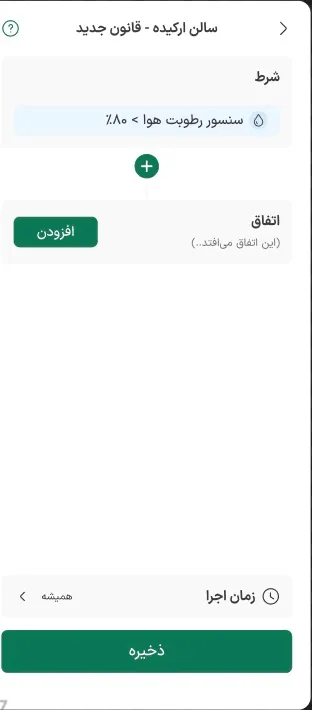
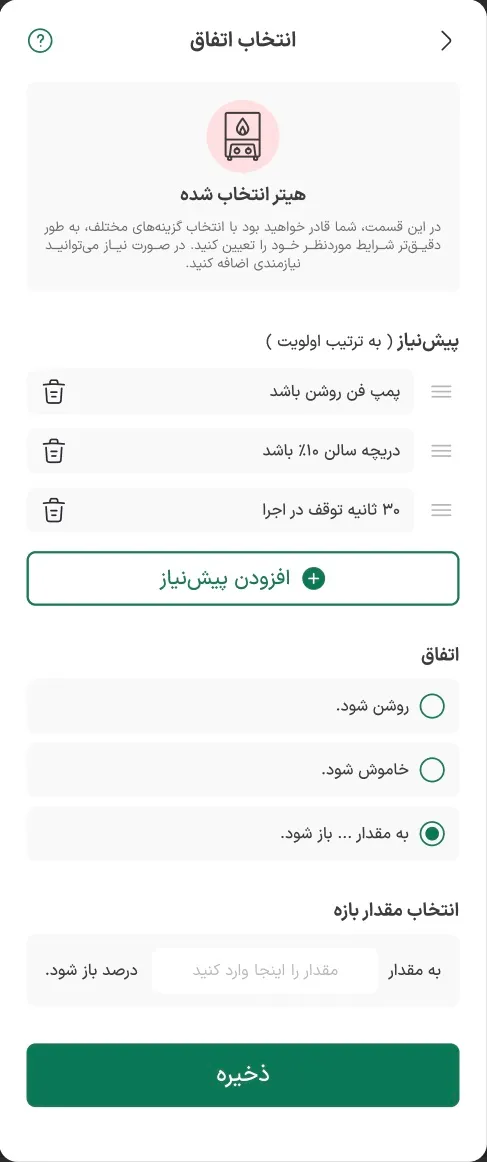
This was the part I owned. Underneath, every rule is logic. I broke it into the three questions a person asks without thinking about code: what should I watch, what should happen, and when.
IF temp_avg(hall_orchid) < 15
UNTIL temp_avg(hall_orchid) > 18
THEN heater_1.on()
REQUIRE circulation_fan == ON
DELAY 30s
WHEN 18:00–06:00
What the user builds instead:
- Condition: the orchid hall’s average temperature drops below 15 °C, until it rises above 18 °C.
- Event: heater 1 turns on, once the circulation fan is running, after 30 seconds.
- Execution time: every night, 18:00 to 06:00.
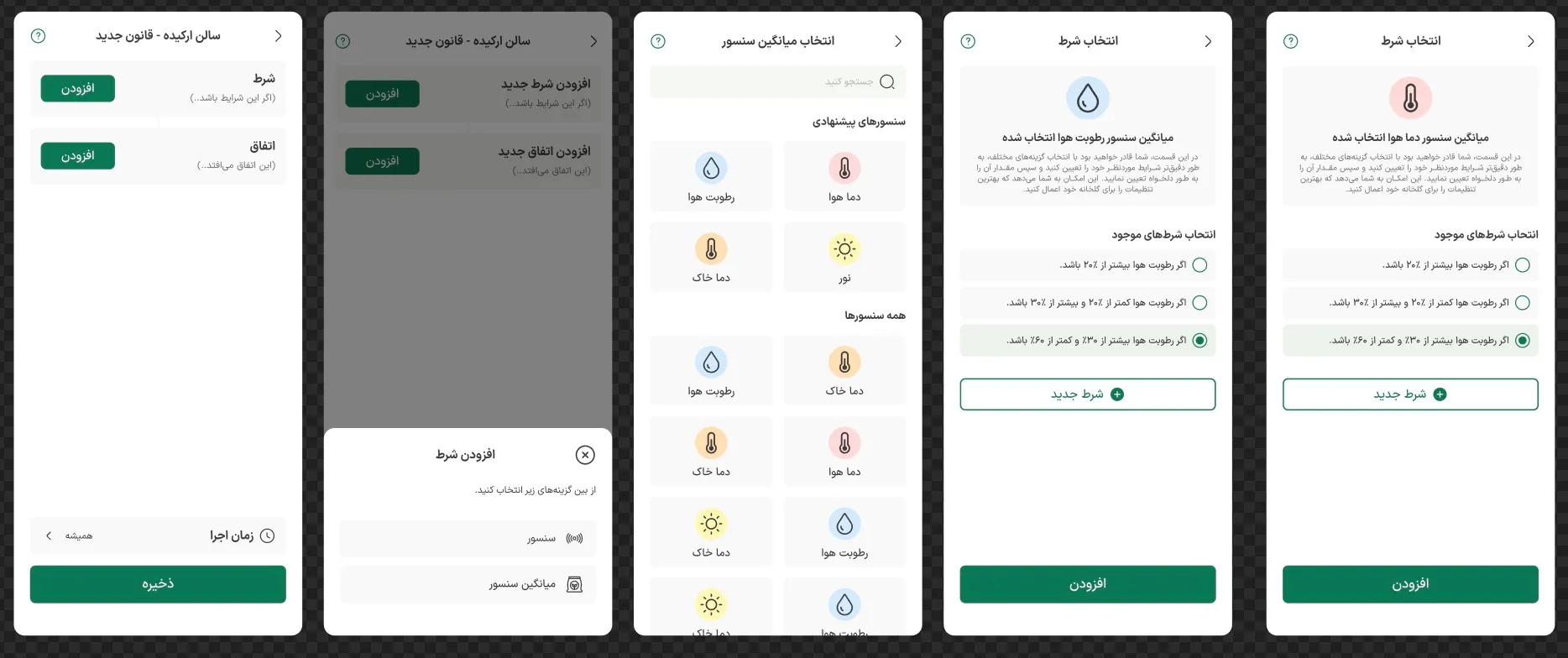
The rule screen shows those three blocks and nothing else. Each opens its own sheet with a few large choices. Nobody types an operator, a variable or a sensor ID. The cost: an experienced user taps through more sheets than a single form would need. I chose fewer mistakes over fewer taps.
03No blank fields
Nobody starts from an empty field, and every rule is read back as a sentence.
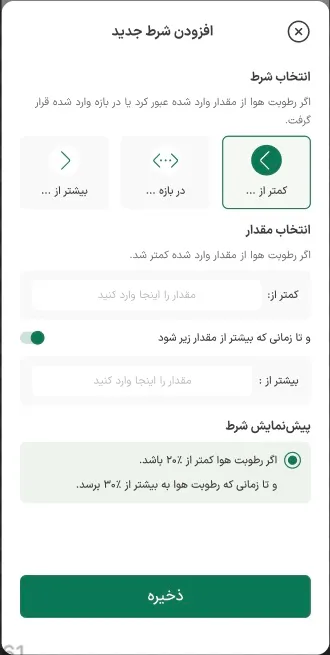
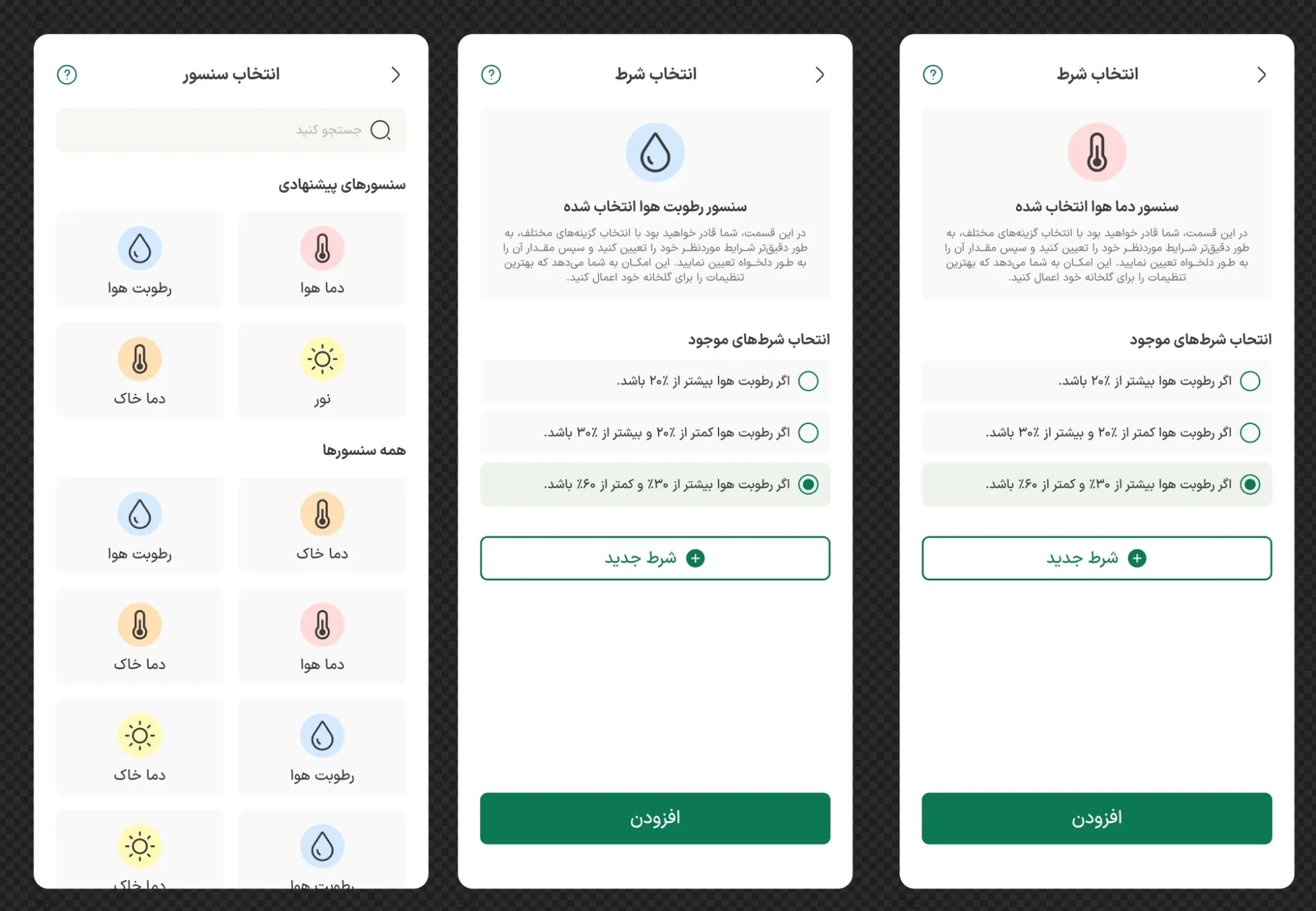
People had asked for templates, so a condition never starts empty. Picking the humidity sensor offers ready-made conditions, like “if humidity is above 20%”. A custom condition is still there, built from three choices: less than, in the range of, or greater than. Then the sheet reads the choice back before saving:
If humidity is below 20%, and until humidity rises above 30%.
For an older user, reading one sentence is far easier than checking a set of fields. If it doesn’t say what they meant, they see it before the rule touches a machine. The cost: presets steer people toward values we chose, so they need someone who knows the crops.
04Real machines
A rule can read well and still behave badly in a greenhouse.
Readings hover. A mister set to start below 20% humidity would switch on and off over and over while humidity sits around 20%. So every condition can carry an exit, the “until”: start at one value, stop at another.
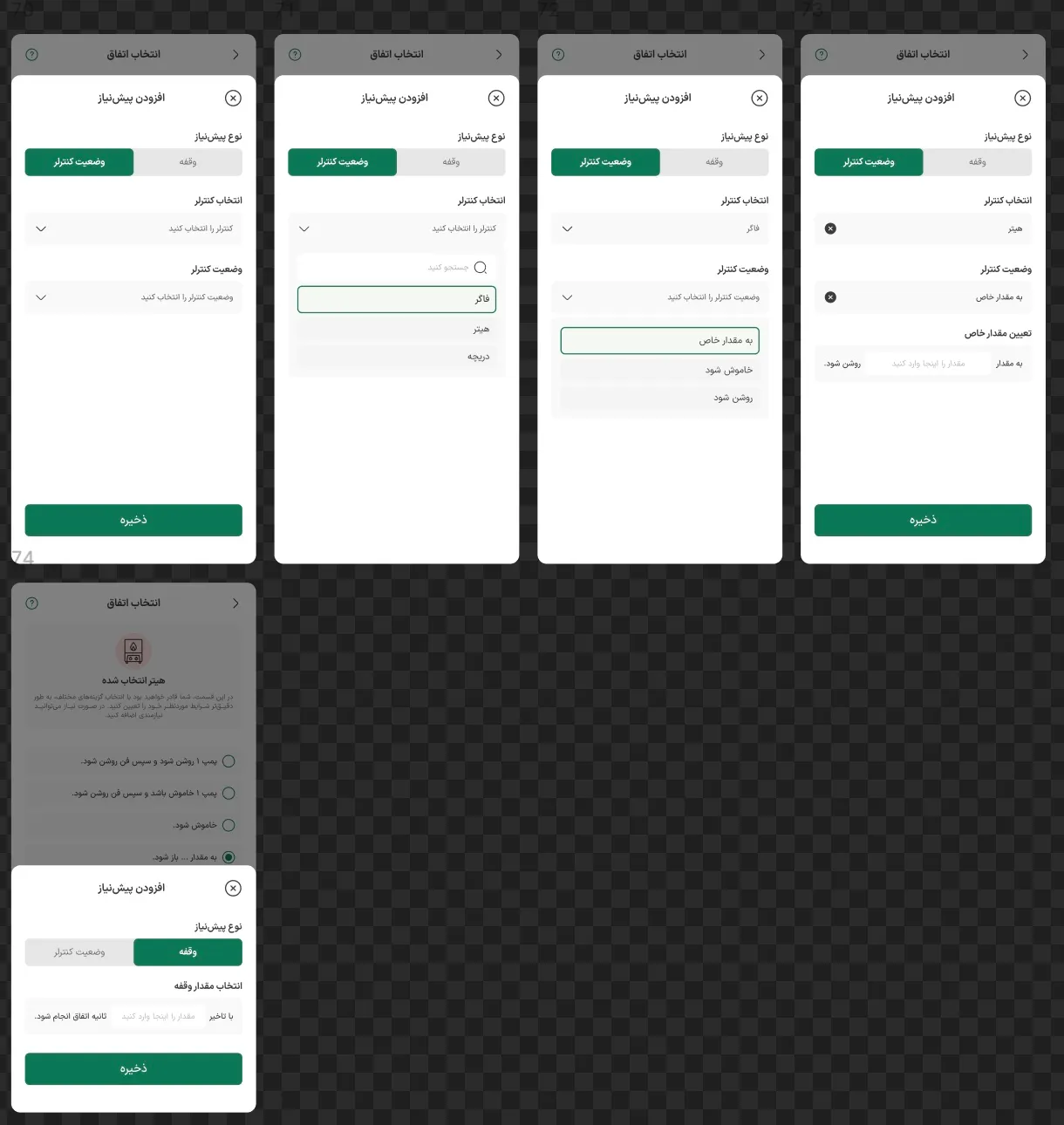
Machines depend on each other. A heater shouldn’t start before the circulation fan is running. So an event can carry prerequisites, in priority order and reordered by dragging: “pump fan is on”, “hall vent is at 10%”, “wait 30 seconds”. Each is a short sentence added from one sheet.
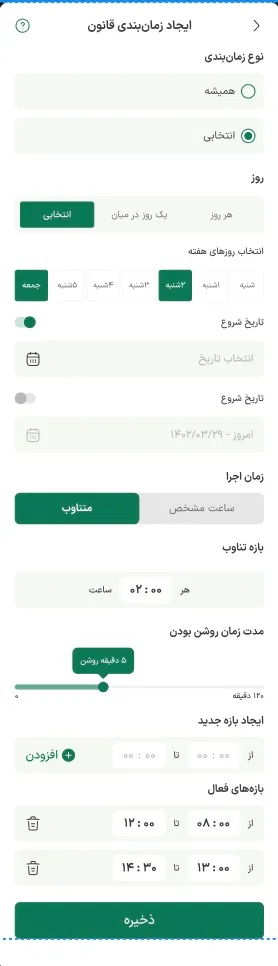
The request that started it all, fans every two hours, ended up as one screen: a rule runs always or on a schedule, at a set time or at an interval, and can be limited to time windows.
05Trust
Handing control to software raised new worries.
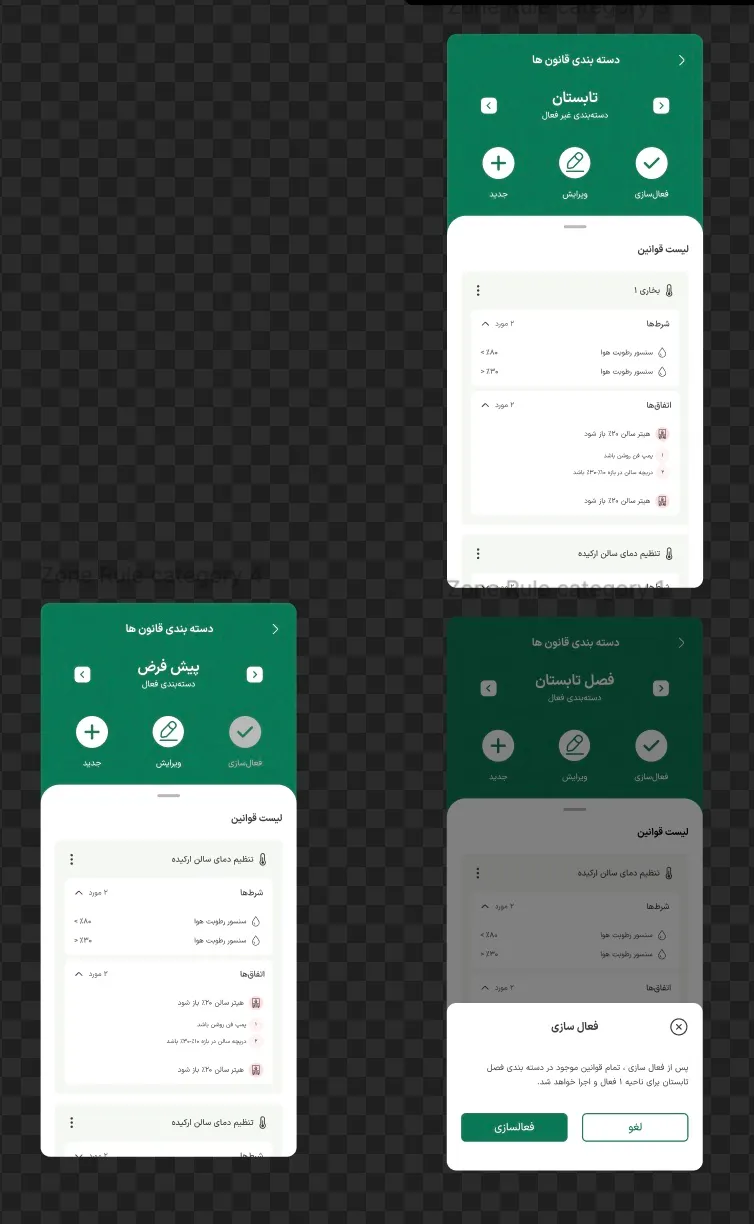
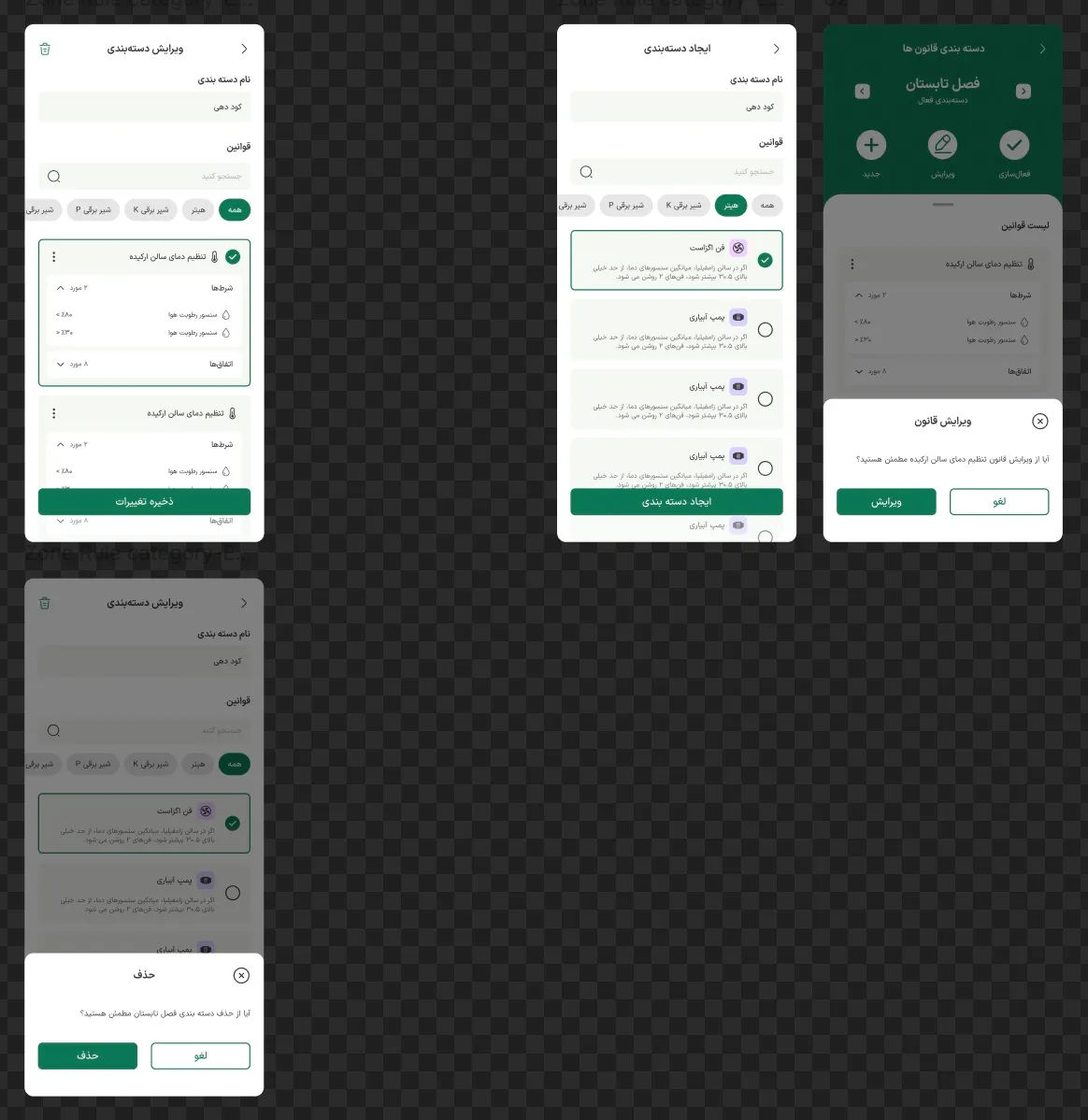
“Which rules are running right now?” Rules live in categories like Summer or Fertilising, and one category is active per zone. Switching seasons is one step, confirmed in plain words: all Summer rules will run for Zone 1.
“Who switched my fan?” The same fan can now be switched by a person, a clock or a rule, so every controller card shows its mode: manual, rules or time.
“Will I hear about it when it matters?” Every sensor has a limit, for outside the ideal range, and an alarm, for critical. Each picks its own channel, so a limit is a quiet notification and an alarm is a phone call.
What’s still open: the mode shows who is in charge, but not who wins when a manager switches a rule-controlled fan by hand.
06Outcome
It shipped, and rule setup got about 40% less complex.
The rule builder is live, in Persian, right to left. I delivered it and moved on to a new role; afterwards, former colleagues told me that setting up rules had become about 40% less complex. I wasn’t there to see how it was measured, so I treat it as their report rather than my own data. IROTeam’s public figures for the whole system, 31+ active users and 65+ active controllers, show the product’s reach, not the effect of the builder.
What I’d have measured myself, had I stayed: how many users have at least one timed rule, manual switches per week before and after, and how often people override rule-controlled machines by hand.
07Reflection
What I’d do differently.
- Design who wins, not just who’s in charge. A manual action should pause the rule for a set time, and say so: “Manual · rule resumes at 14:30”.
- Test the sentence with the people it was for. The read-back sentence is the safety check; I’d test it with five of the least technical users.
- Don’t let one dead sensor drag the average. A sensor reading 0 °C still pulls a hall’s average down; I’d leave offline sensors out.
The hardest part of automation wasn’t the logic. It was letting people use logic without having to think like a programmer.