Confidential · internal tool · 2022
Fund Monitoring
An internal dashboard, built and used, for the few people who manage a company's money across 55 trading teams and six markets.
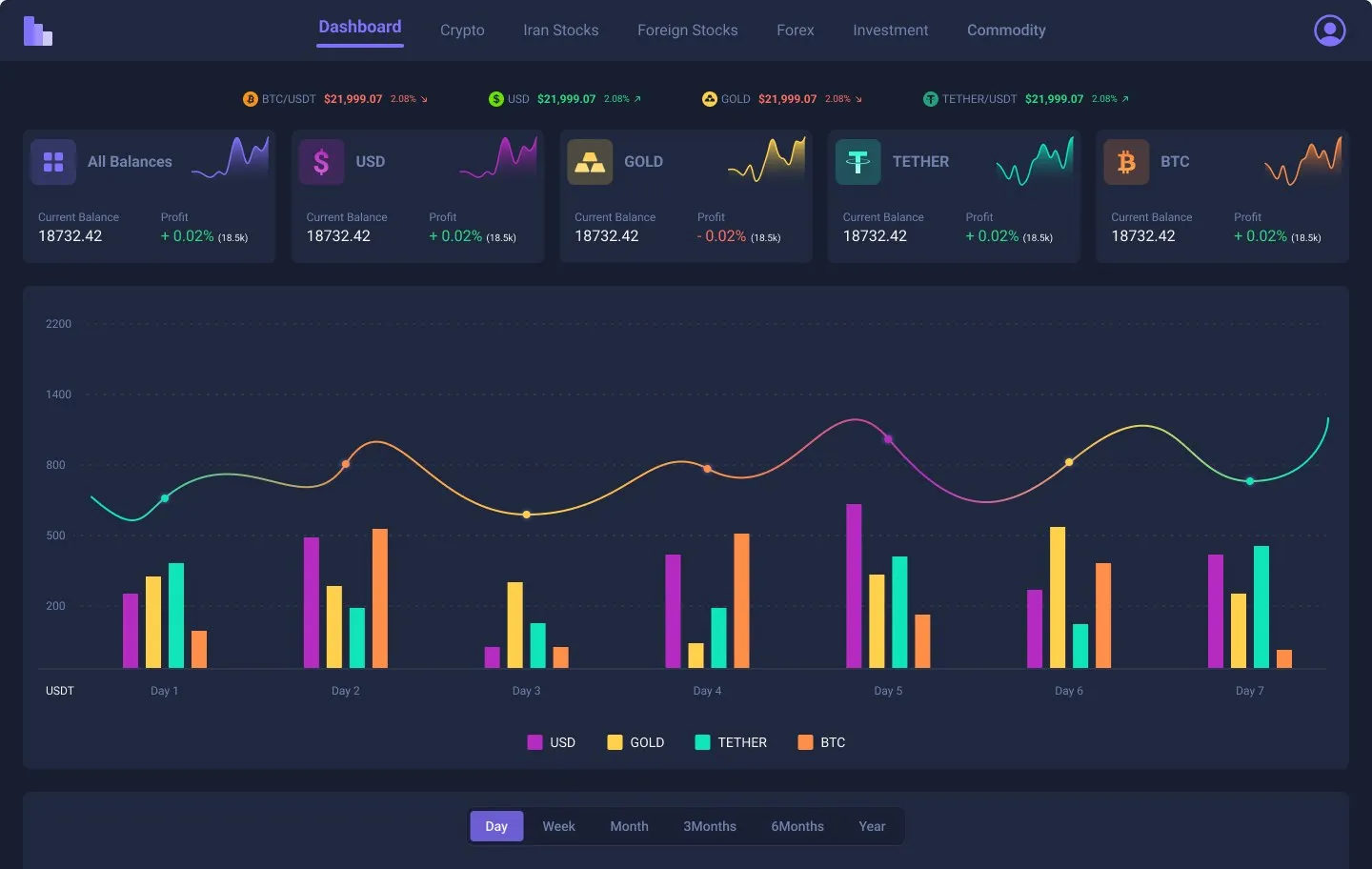
55
trading teams in one view
6
markets, from crypto to commodities
1
screen from the total fund down to each instrument
00 / Summary
- Role
- Product designer
- When
- 2022
- Platform
- Web dashboard · desktop
- Method
- Information architecture, data visualisation
- Colour
- #C2410C
- Problem
- Managers had money spread across 55 trading teams and six markets, and no single place to see where it was or who was performing.
- What I did
- Designed one dashboard that runs from the total fund to each market and instrument, with team performance, costs and rankings, plus loading and sign-in states.
- Result
- It was built and used by the small team that manages the company's funds. I designed it; developers built it.
01Problem
Fifty-five teams, six markets, no single picture.
This was an internal tool for the handful of people who manage a company’s money. That money is split across crypto, local and foreign stocks, forex, commodities and long-term investment, and managed by 55 teams with different jobs: data analysis, risk management, arbitrage and algorithmic trading.
Each team could report its own numbers. What managers couldn’t see was the whole: how much there is, where it sits, which teams are earning it and which are costing it.
02Where the money is
From the total down to each instrument.
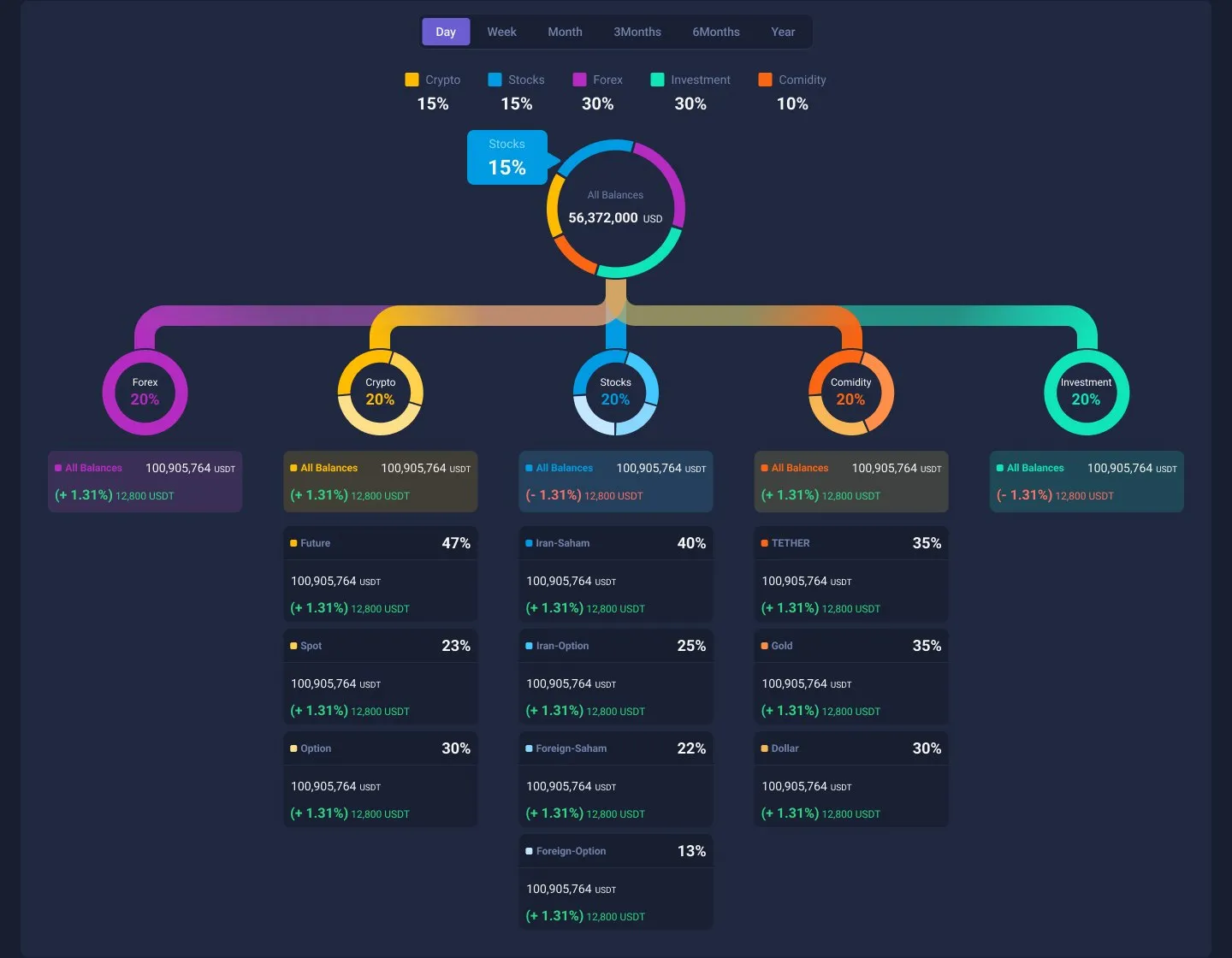
The centre of the dashboard is one tree. The total fund sits at the top and splits into the five markets, each with its share and change. Each market then splits into its instruments: futures, spot and options for crypto, local and foreign shares and options for stocks, and so on. A manager can follow any amount from the whole fund to where it actually is without leaving the page.
03Who's performing
Performance against an estimate, not a raw number.
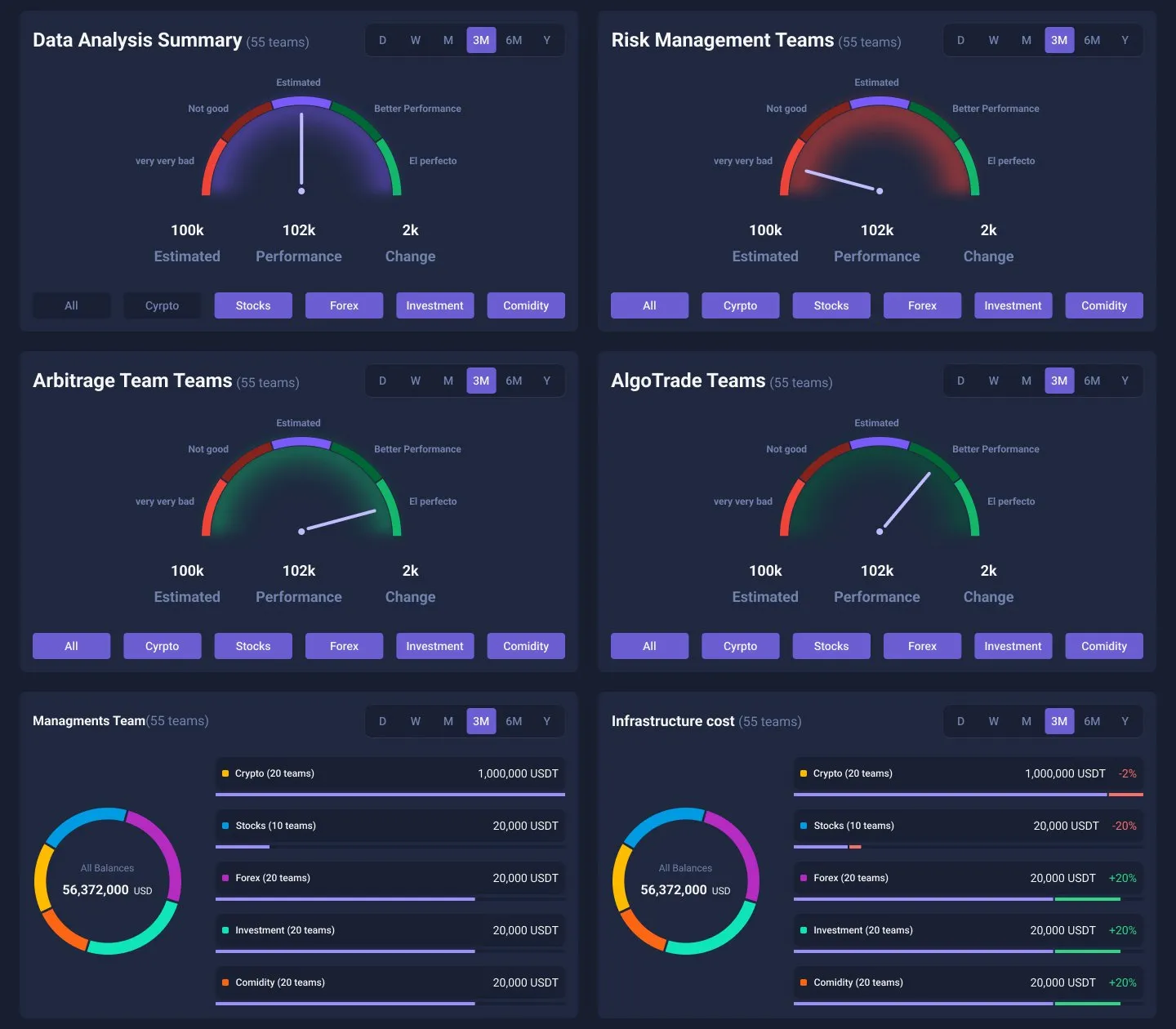
A profit figure on its own doesn’t say whether a team did well. So each team type gets a gauge: where its performance landed against what was estimated, and how much that changed. Filters switch the view by market. Below the gauges, management and infrastructure costs show what each group of teams costs to run, next to what it returns.
04Rankings
The best performers, and the most expensive.
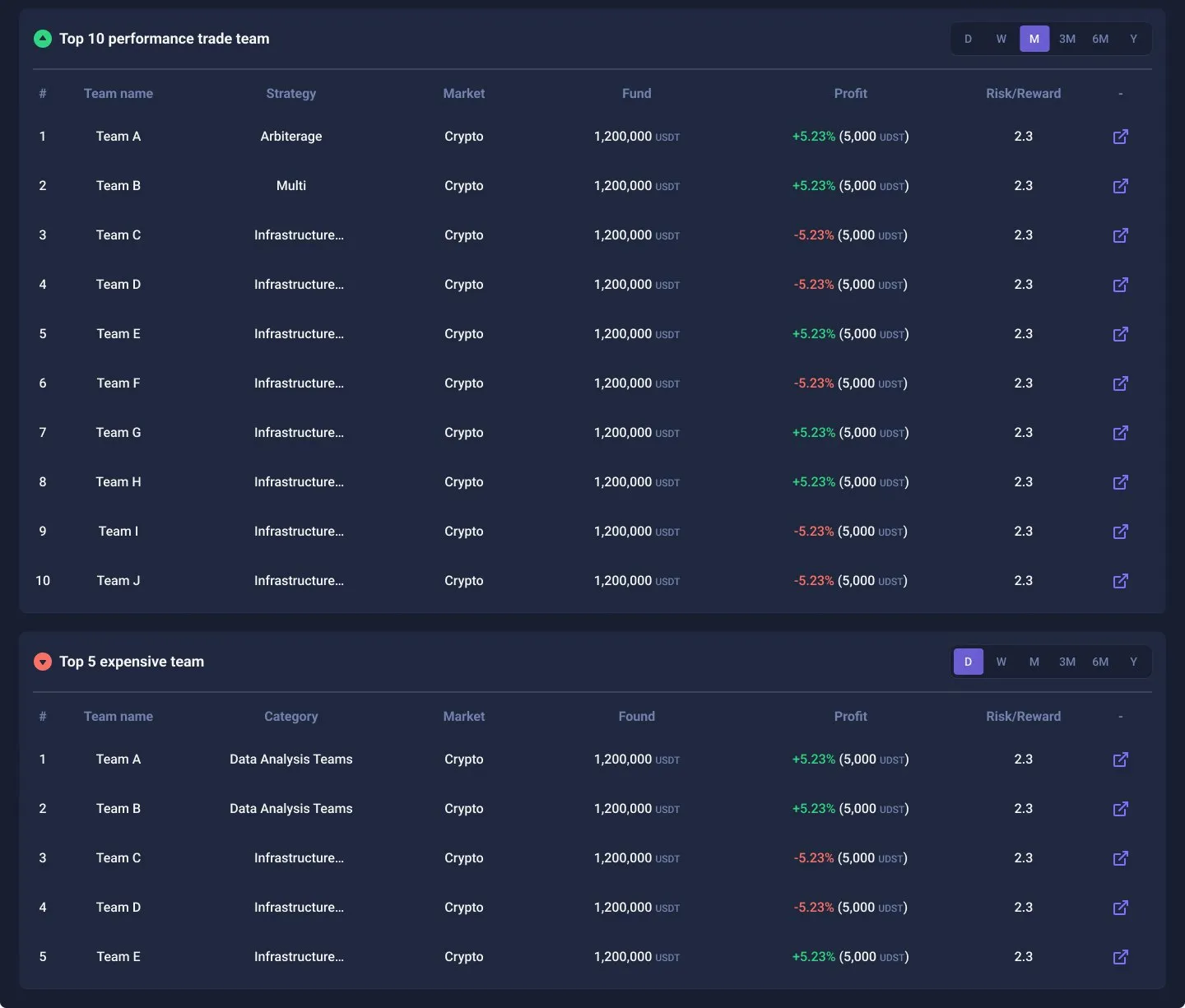
Two tables close the page: the ten best-performing trading teams, with strategy, market, fund, profit and risk/reward; and the five most expensive teams. Put side by side, they answer the question managers actually ask, which is whether the cost is paying off.
05States
Designed for the wait, too.
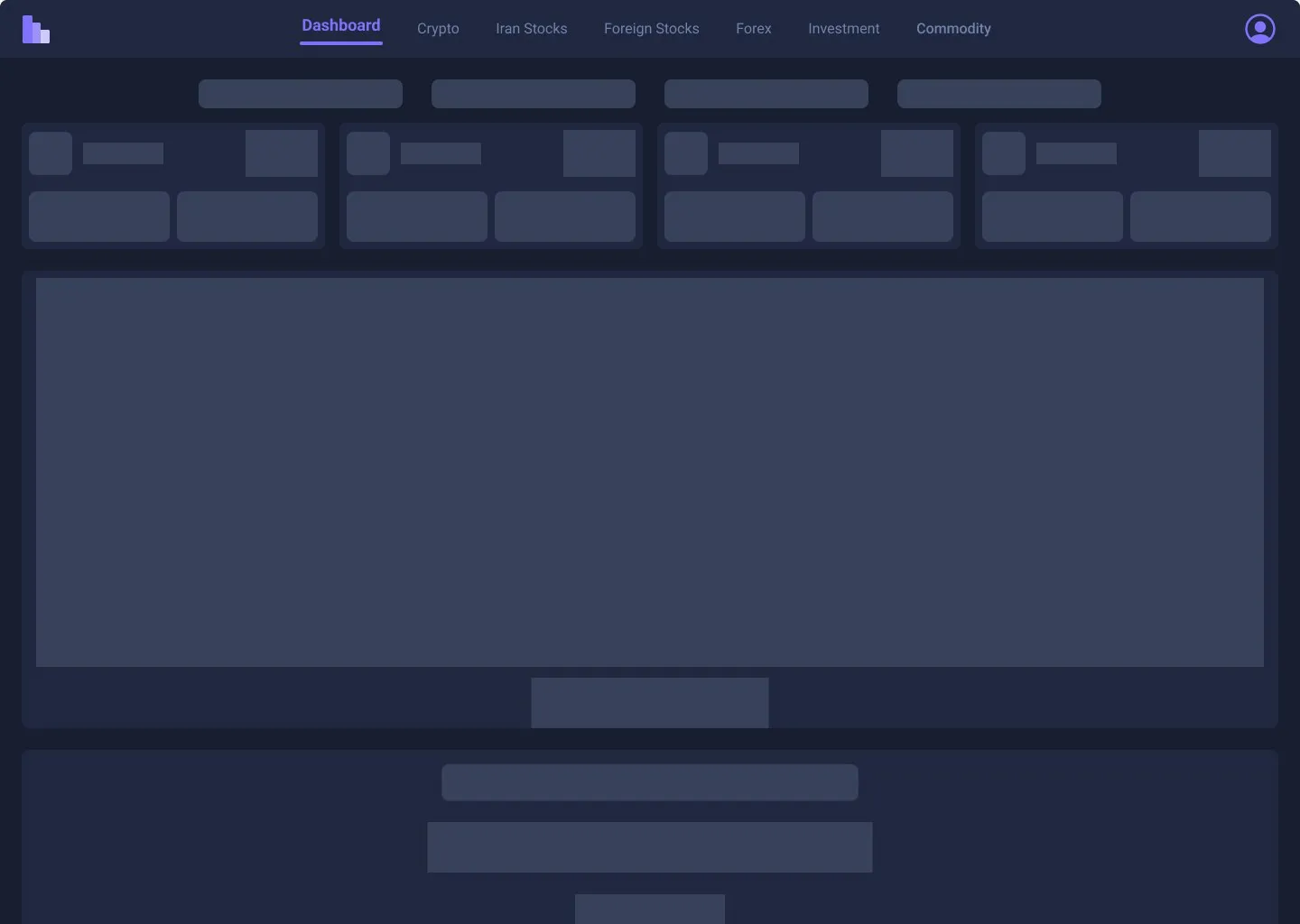
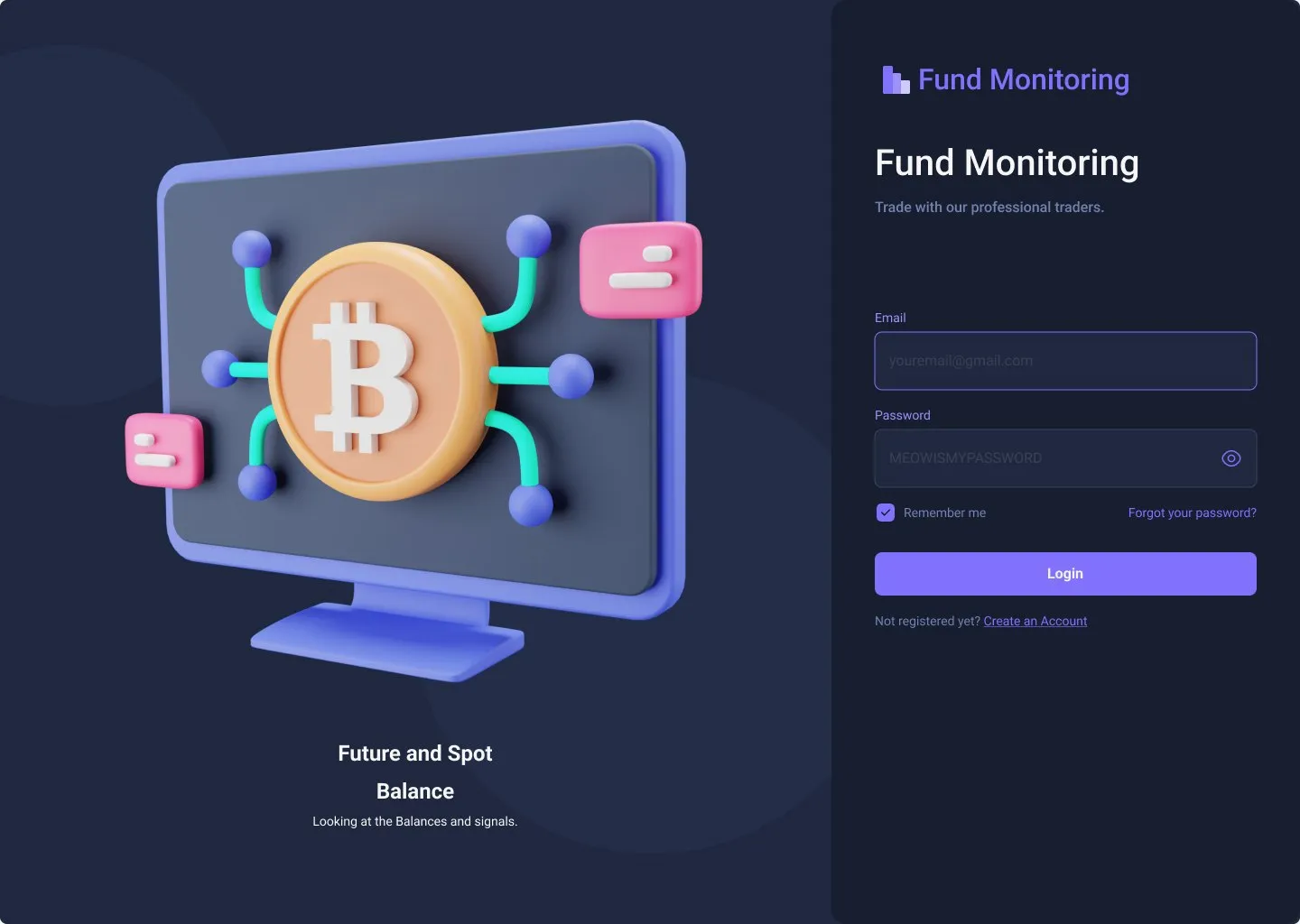
A dashboard this dense takes time to load. Rather than a spinner over an empty page, a skeleton screen mirrors the real layout, so people know what’s coming and where. Sign-in got its error state as well.
06Outcome
One page, the whole fund.
It was built and used. The handful of people who manage the company’s money used it to follow the fund from the total down to any instrument and any team. I designed it; the development team built it. The company stays unnamed, and I don’t have usage numbers to share.
07Revisited, 2026
Answer the question before showing the data.
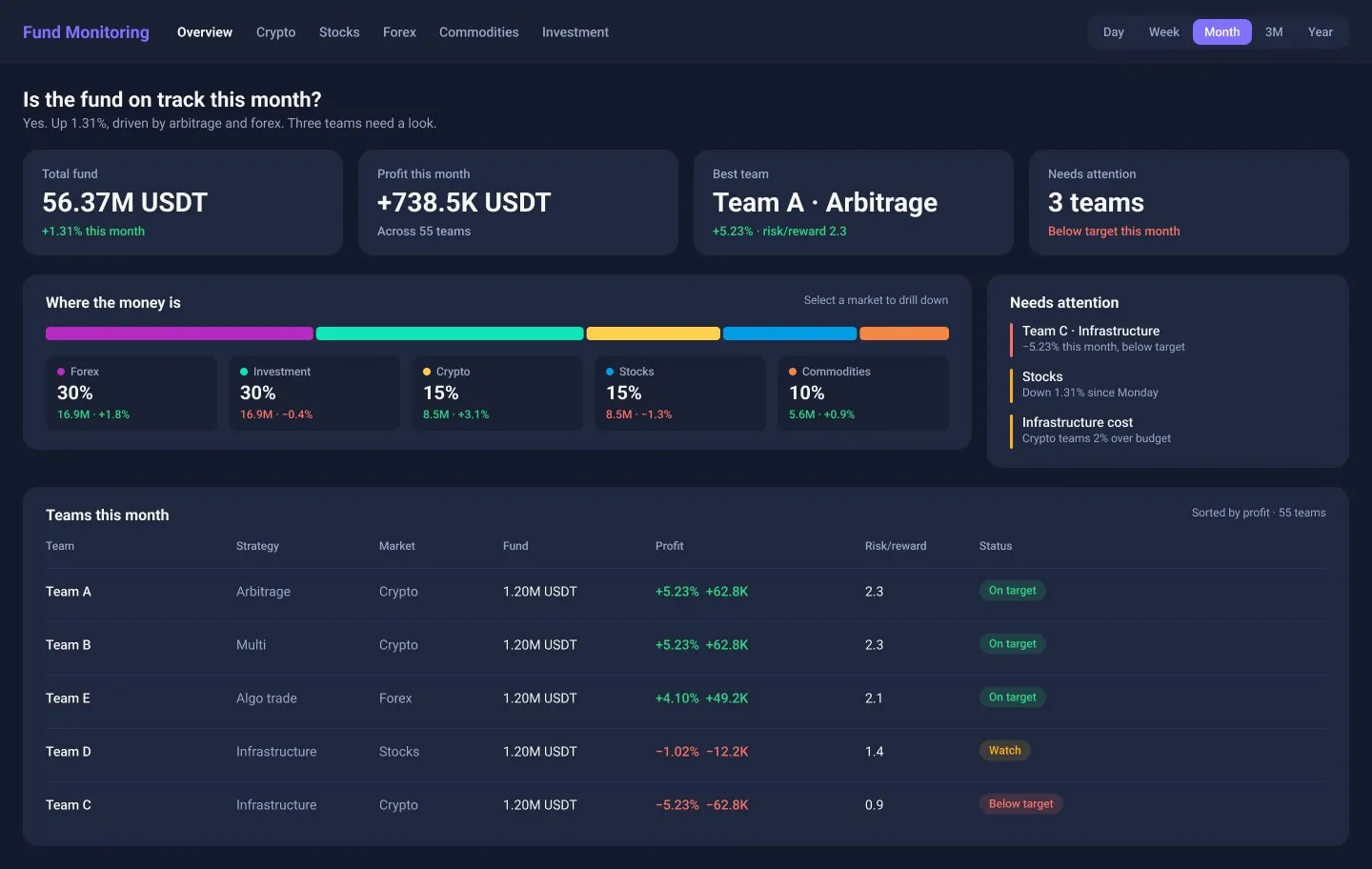
Looking back, the original shows everything at once, and it’s beautiful, but a manager has to work to find the answer. Every chart has its own five colours, the gauges use labels like “very very bad”, and the most important question, whether the fund is on track, has no direct answer. I redesigned the first screen in 2026. It’s a revisit, not what was built.
- A sentence first: “Is the fund on track this month? Yes. Up 1.31%, driven by arbitrage and forex. Three teams need a look.”
- Four numbers that matter: total fund, profit this period, the best team and how many teams need attention.
- One stacked bar for allocation instead of a tree that takes a whole screen; select a market to drill down.
- A teams table with a status (on target, watch, below target) instead of four gauges, sortable by profit.
- Colour that means something: green for gains, red for losses, amber for watch. Market colours appear only where markets are compared.
08Reflection
What I took from it.
A dashboard isn’t finished when every number has a place. It’s finished when the person opening it gets their answer in the first five seconds, and only then the detail that explains it.