Confidential · internal tool · 2022
Signals BI
An internal analytics tool, built and used, that shows which crypto signal providers can be trusted before the company acts on their calls.
1
place for every signal from every provider
4
ways to read them: dashboard, profiles, reports, live feed
3
profiles compared side by side
00 / Summary
- Role
- Product designer
- When
- 2022
- Platform
- Web app · desktop
- Method
- Information architecture, data visualisation
- Colour
- #0E7490
- Problem
- The company followed trade signals from many external channels, but had no clear way to see which ones were actually right.
- What I did
- Designed a BI tool that tracks every signal from every profile, with a live feed, reports by profile, trade and coin, and side-by-side comparison.
- Result
- It was built and used internally. I designed it; developers built it. A 2026 revisit turns the comparison into a single verdict.
01Problem
Everyone has a signal. Who’s actually right?
The company listened to trade signals from many outside sources: channels that post calls like “buy STG at this price, stop loss here, target there”. Some were good. Some only sounded good. With signals arriving all day across spot and futures, nobody could say which providers deserved trust, or how much.
The tool had to turn a stream of calls into a track record.
02The dashboard
The day’s signals at a glance.
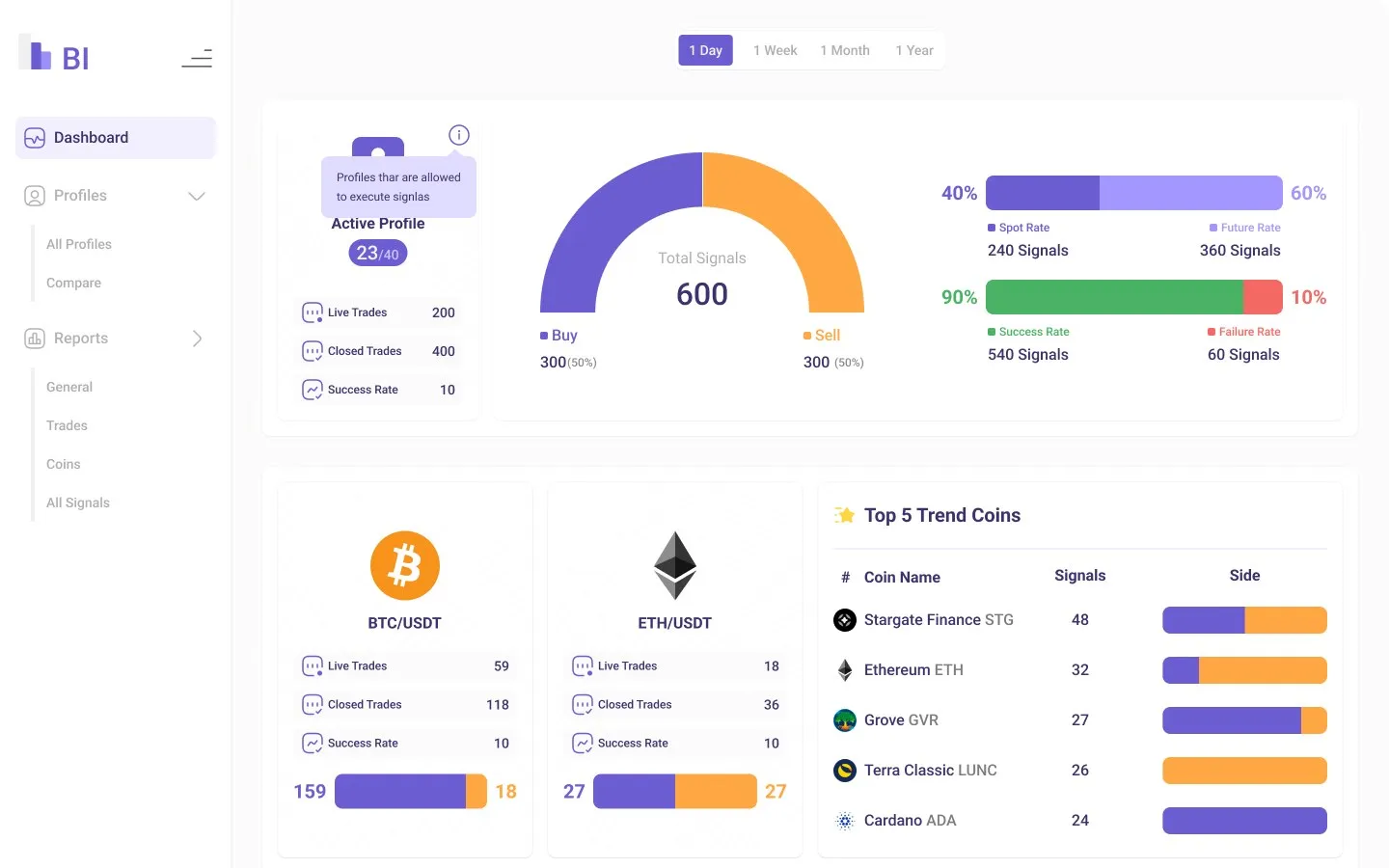
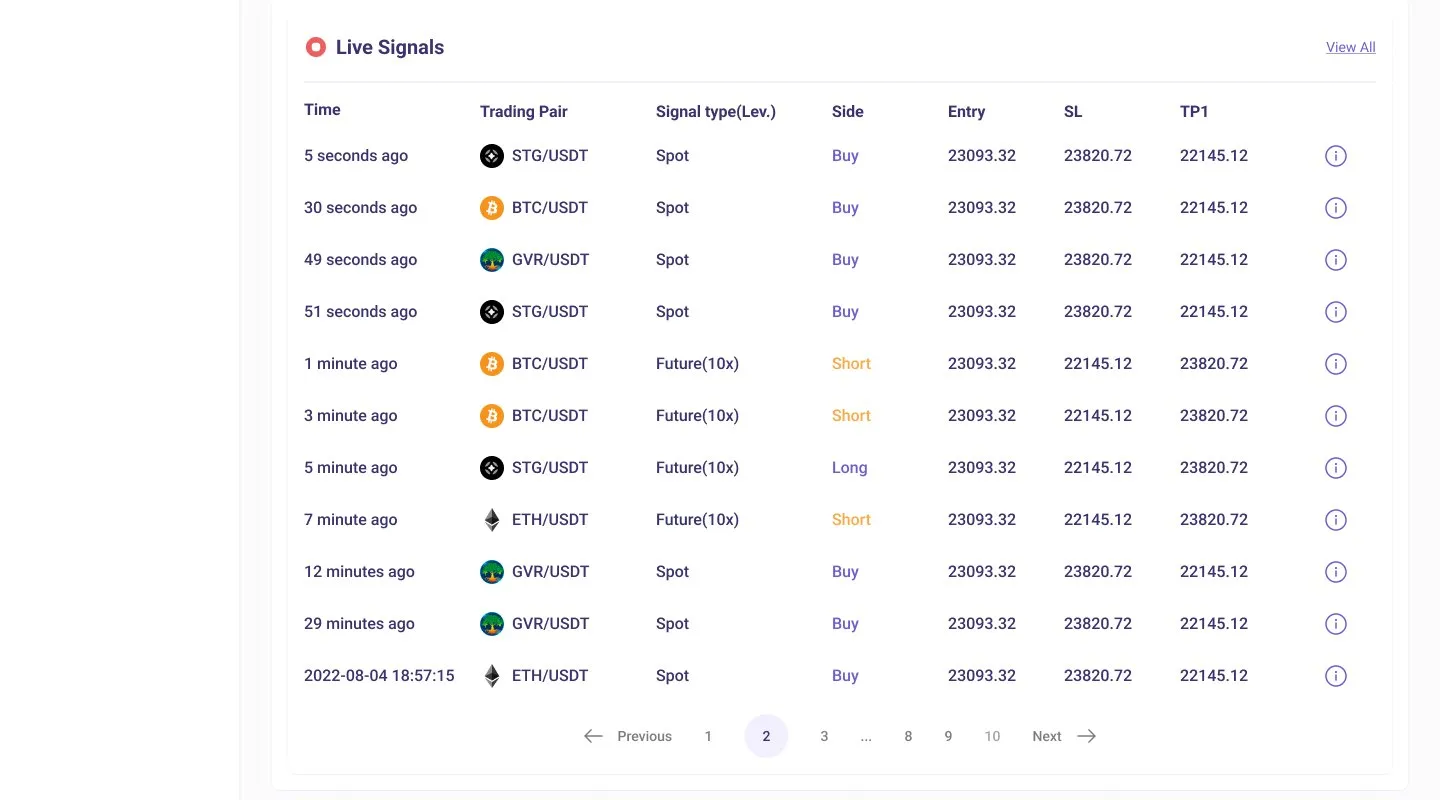
The dashboard opens with the numbers that frame everything else: how many profiles are allowed to trigger trades, how many signals arrived, how they split between buy and sell and between spot and futures, and how many succeeded. Below that are the most-signalled coins, then the live feed, every call with its entry, stop loss and first target, newest first.
03Profiles
A track record for every source.
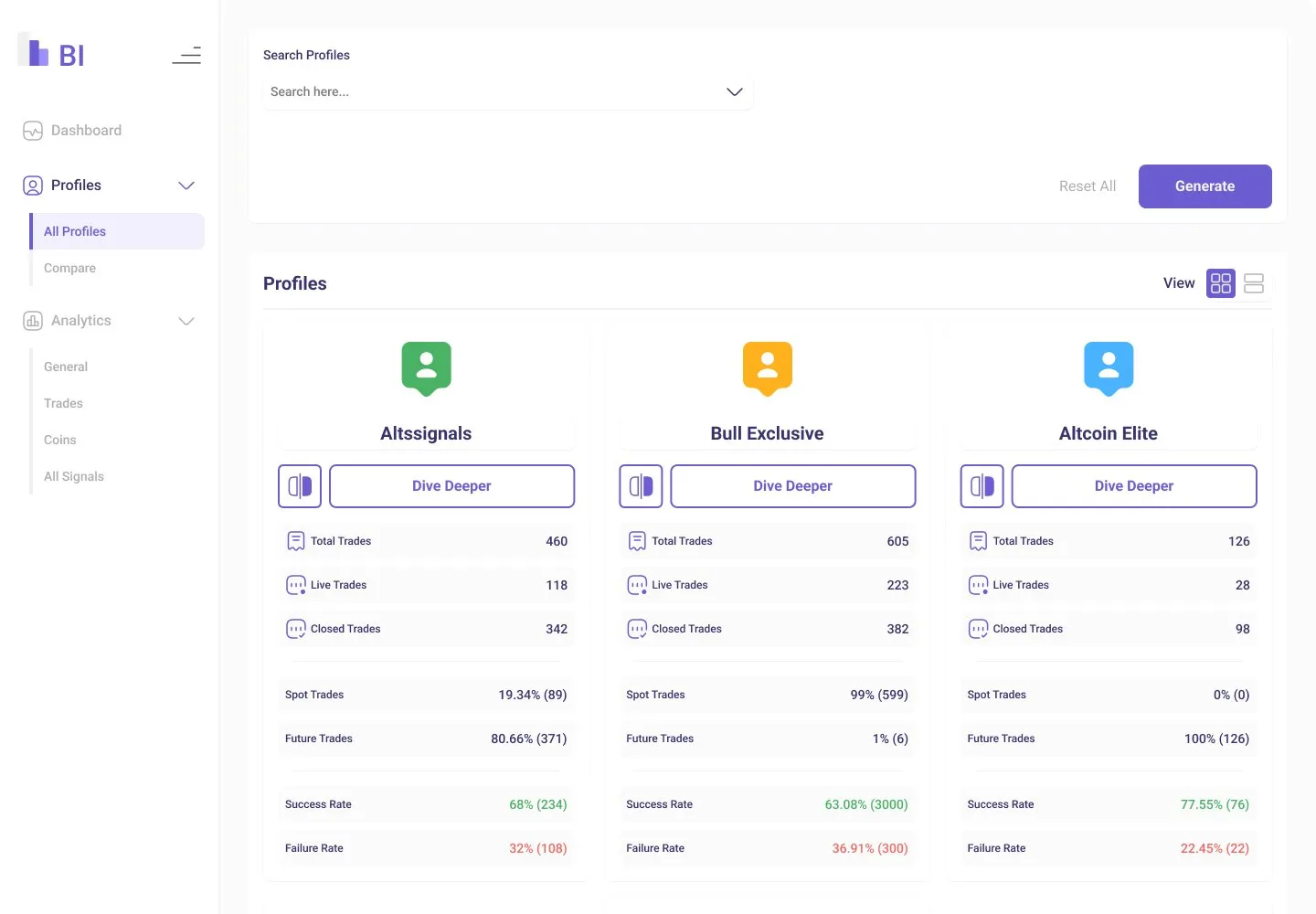
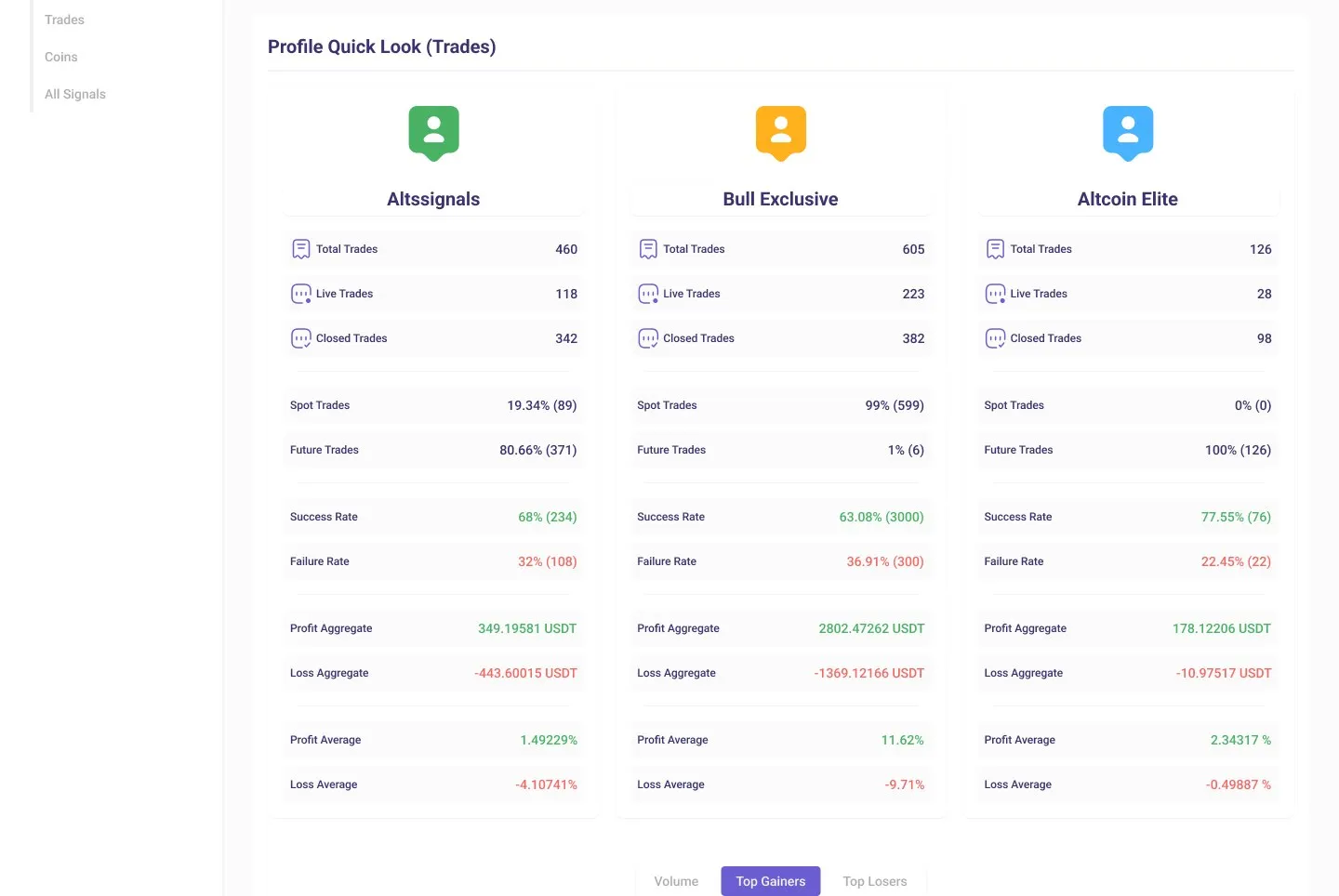
Each signal provider gets a profile card with the same facts in the same order: total, live and closed trades, the spot and futures mix, and success and failure rates. From any card, “Dive deeper” opens the full history, or the side button adds it to a comparison.
04Reports
Filter first, then read.
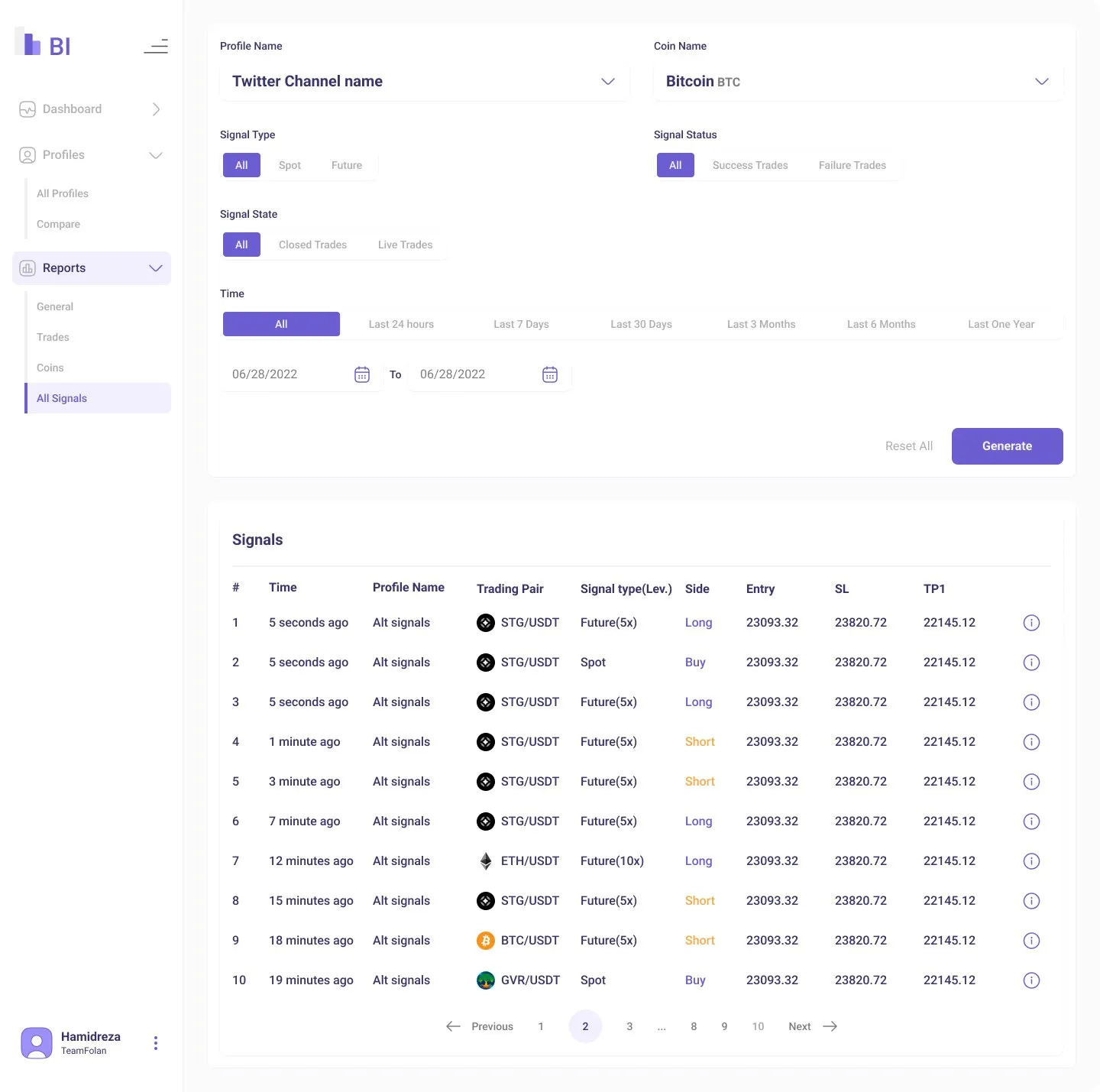
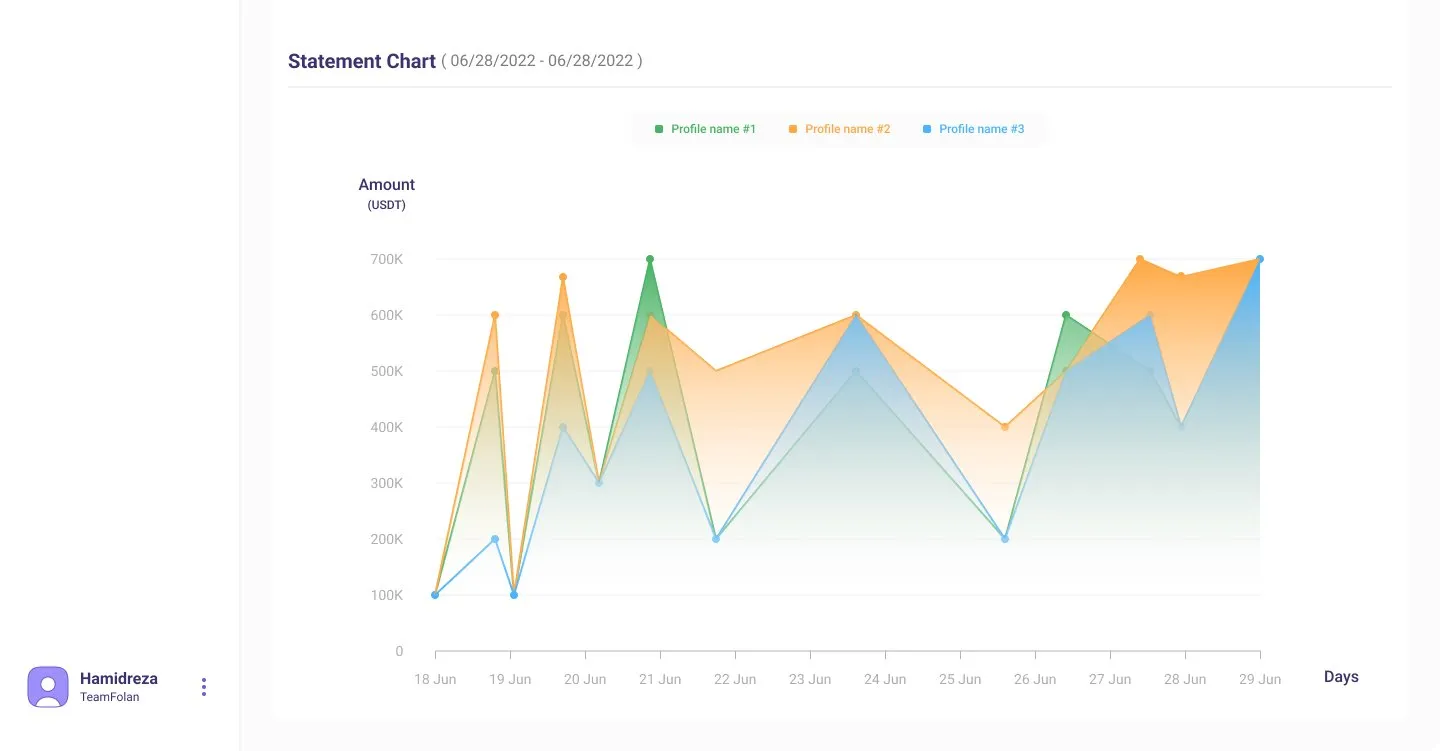
Reports work the same way everywhere: choose the profile, coin, signal type, status and time range, then generate. Results arrive as a table of signals or as a statement chart that plots each profile’s balance over the period.
05States
Loading, signing in, going wrong.
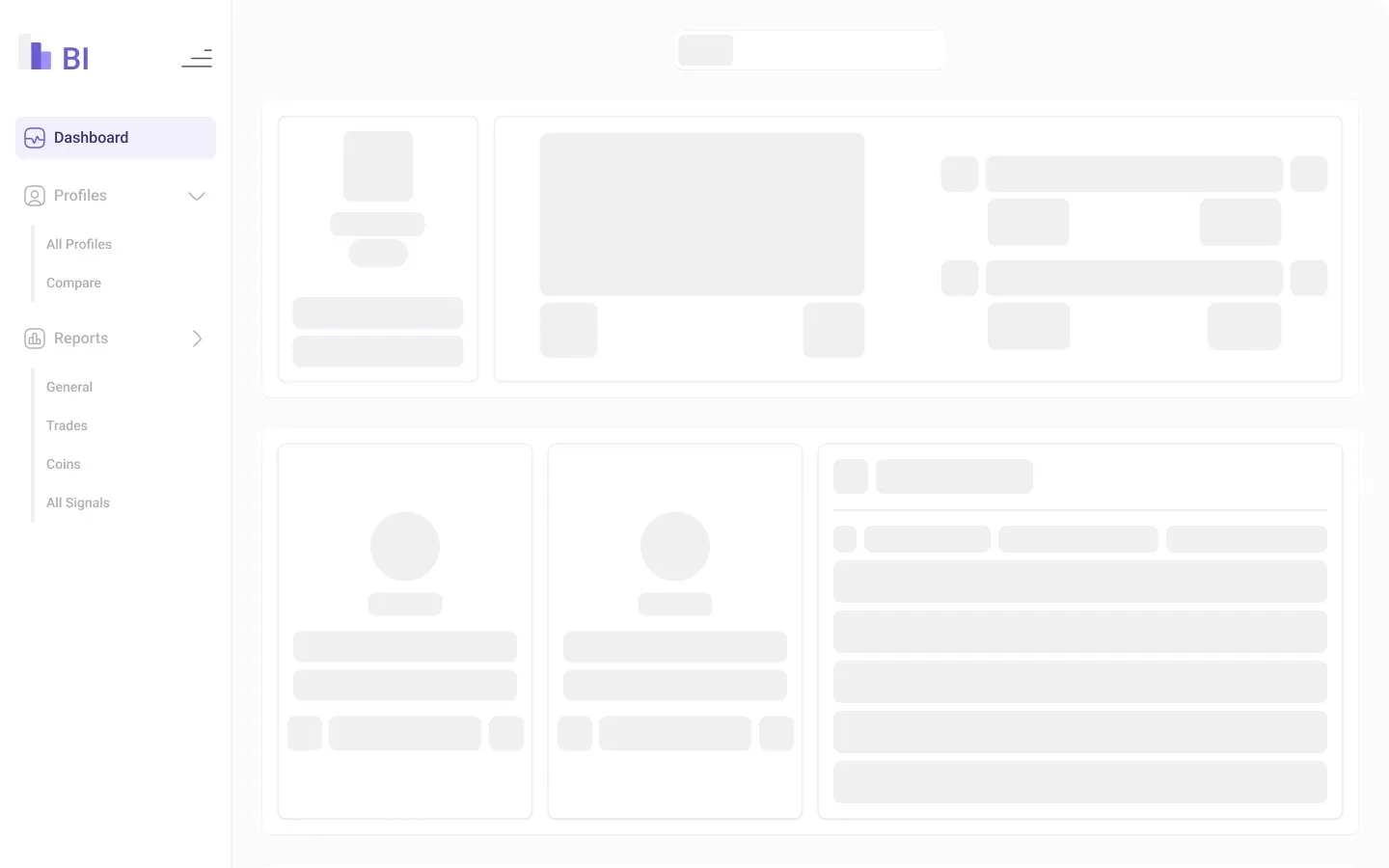
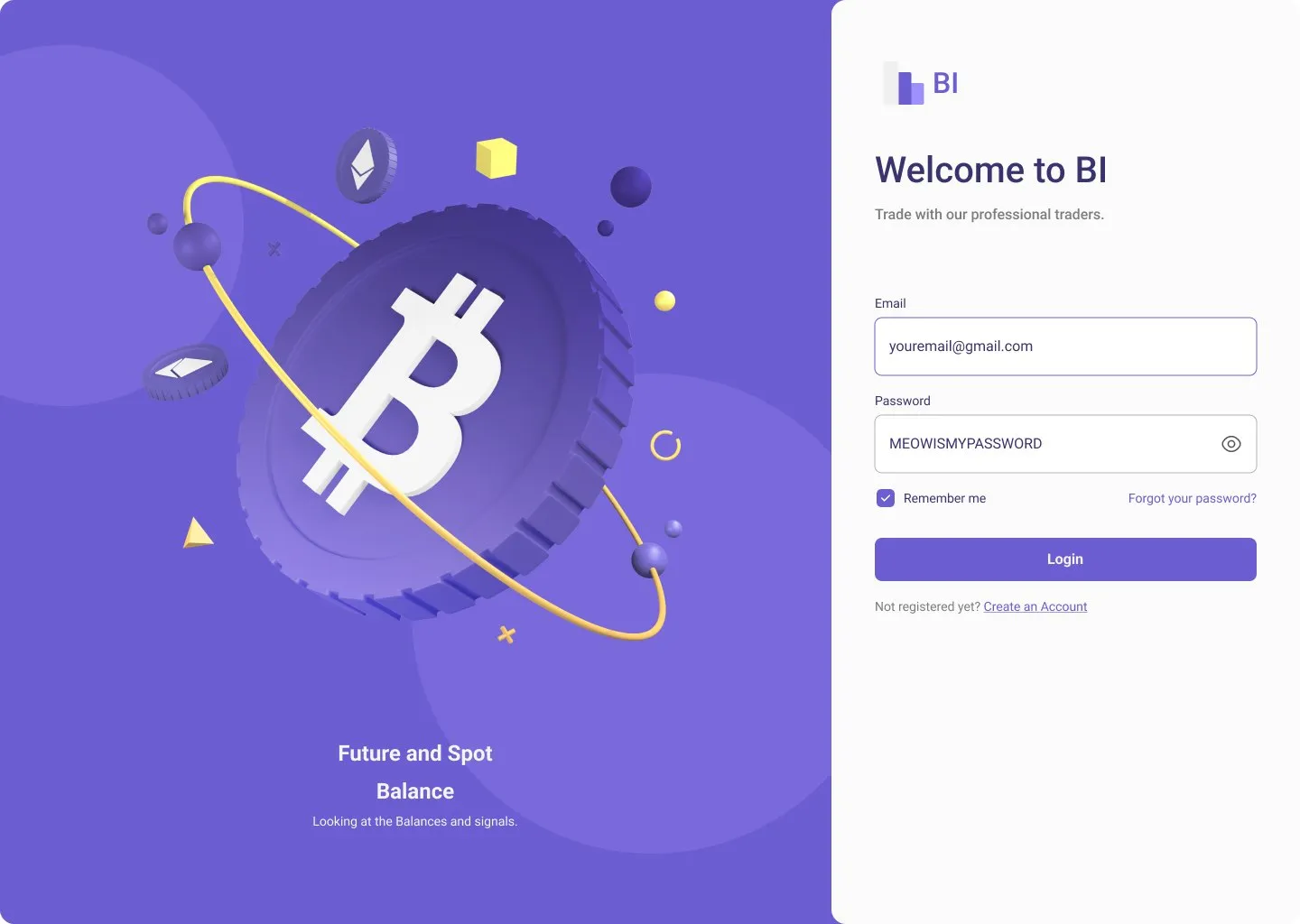
The tool loads a lot of data, so every main page has a skeleton screen in its real layout. Sign-in, forgotten password, an incorrect password and an error page were designed too.
06Outcome
From a stream of calls to a track record.
It was built and used. The team could see every signal from every provider, follow them live, and judge a source by its history instead of its confidence. I designed it; the development team built it. The company stays unnamed, and I don’t have usage numbers to share.
07Revisited, 2026
Compare across, not down.
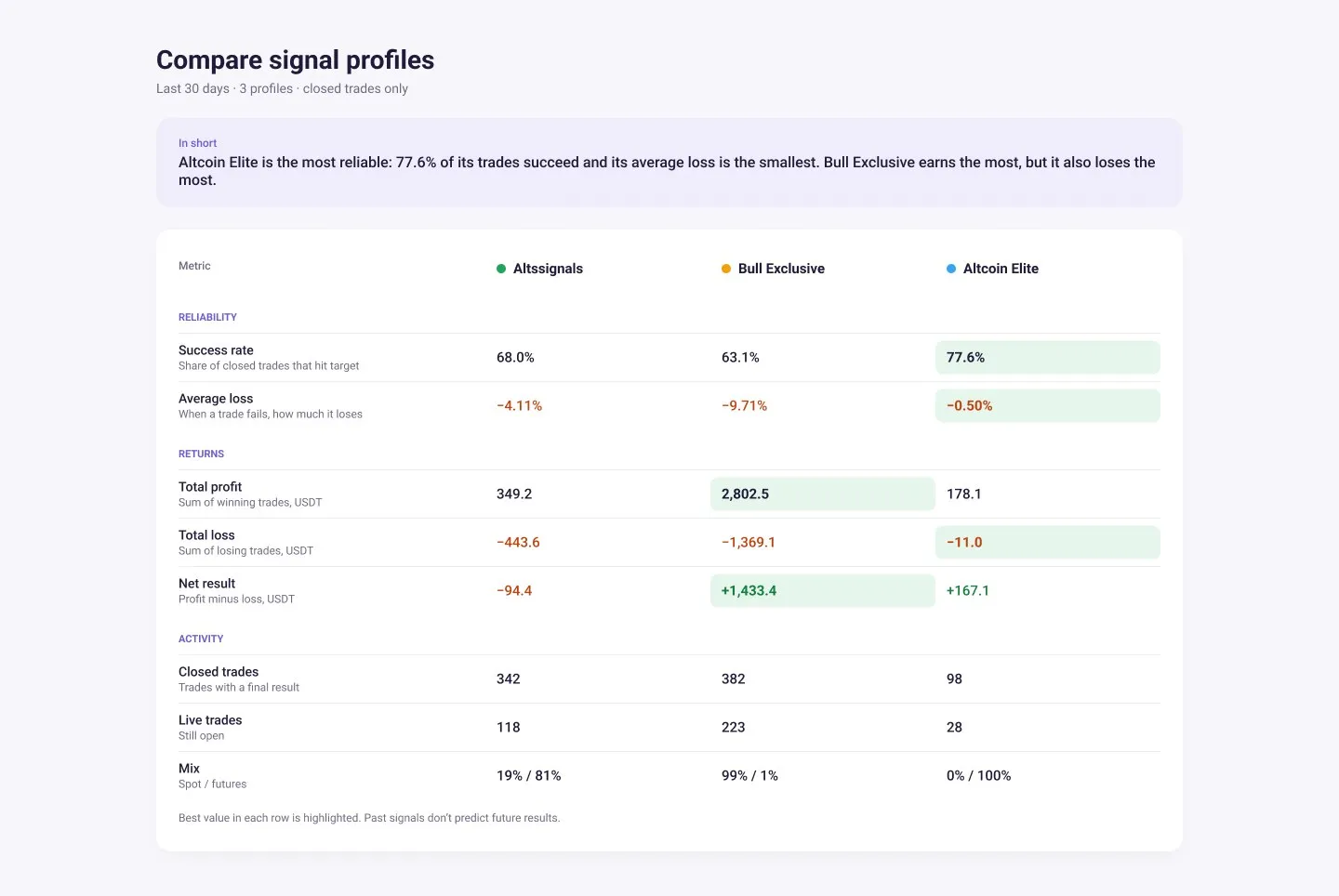
In the original comparison, each profile is a tall column of fourteen numbers. To compare one metric, your eyes jump between three cards, and nothing says which number is better. I redesigned it in 2026. It’s a revisit, not what was built.
- A verdict first: one sentence on who is most reliable and who earns the most, and at what cost.
- Metrics as rows, profiles as columns, so each comparison sits on one line.
- The best value in each row is highlighted, and every metric gets a one-line explanation.
- Grouped by the question being asked: reliability, returns and activity.
- A net result row that the original left the reader to work out.
08Reflection
What I took from it.
Analytics tools are judged by the decision they make easier. Showing every number is the start; putting the right two next to each other, and saying which one wins, is the design.